How to Track ChatGPT Traffic in GA4
Track ChatGPT traffic in GA4 with a custom channel group for chatgpt.com referrals, and treat it as a floor: many buyers arrive as direct or brand search.
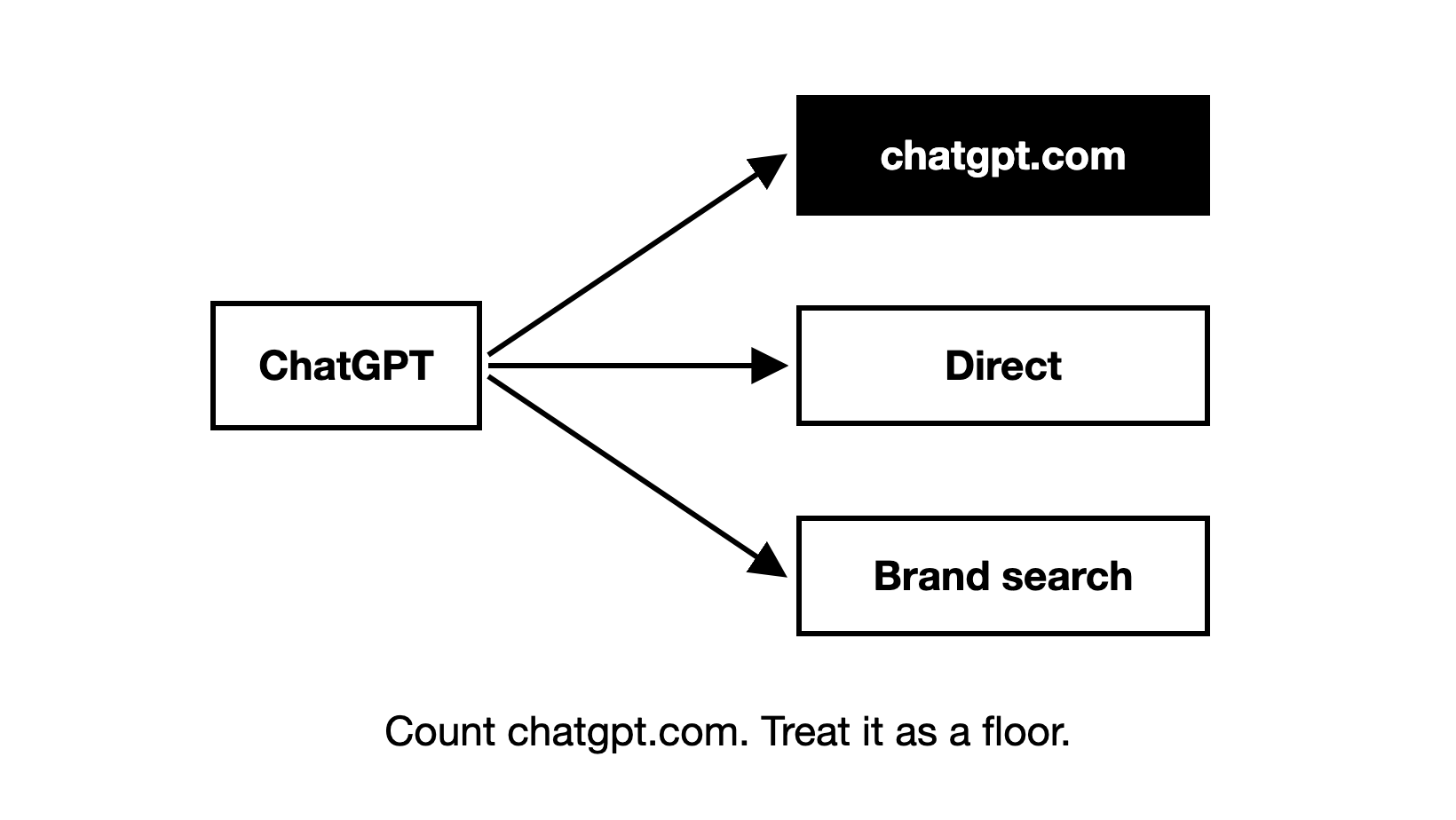
Track ChatGPT traffic with a custom GA4 channel group for chatgpt.com, and treat it as a floor: many buyers who found you in ChatGPT arrive as direct or brand search.
To check whether ChatGPT sends you any visits today, open GA4 and go to Reports, then Acquisition, then Traffic acquisition. Switch the table's first column to Session source / medium: where each visit came from, and the kind of link that brought it. Then type chatgpt into the search box above the table. Every row whose source is chatgpt.com is a visit from a link someone clicked in ChatGPT, whatever the medium says.
What counts as ChatGPT traffic, and why does GA4 miss some of it?
ChatGPT traffic is ChatGPT's share of AI referral traffic: the visits that reach your site from links in AI answers, which show up in analytics as chatgpt.com referrals. Those links include the answer's citations. A citation is a page an AI answer shows as a source for what it says. It can be your own page, a third-party page (a competitor's page, a listicle, etc.) or a community page (a Reddit thread, a forum post, etc.).
GA4 sorts each visit by its referrer, the address of the page the click came from. It also reads tracking tags on the link, such as the utm_source=chatgpt.com tag we have seen ChatGPT add to its citation links. A buyer who meets you in ChatGPT can reach your site in three ways, and only the first carries a referrer or a tag:
| How the buyer reaches your site | What GA4 records |
|---|---|
| Clicks a link in the answer, and the visit keeps its referrer or ChatGPT's tag | chatgpt.com as the source, so you can count it as ChatGPT |
| Opens your page from the answer, but the visit brings neither, for example when the bare address is pasted into a new tab | Direct, GA4's channel for visits with no known source |
| Never clicks: reads your name in the answer, then searches it on Google or types your address days later | Organic Search (GA4's channel for unpaid search clicks) or Direct, with nothing that points back to ChatGPT |
Buyers rarely click citations, so the third row is the common one. Engines still use the pages they cite to decide which brands to name.
How do you set up a custom channel group for ChatGPT traffic in GA4?
A channel group is the set of rules GA4 uses to file each visit under a channel, such as Organic Search, Referral or Direct. Since 13 May 2026, GA4's default channel group has had an AI Assistant channel for visits from chatbots. Google's channel definitions name ChatGPT, Gemini, Deepseek, Copilot and Grok as examples. GA4 puts a visit there when its referrer matches Google's own list of AI assistants, and Google does not publish that list in full.
The AI Assistant channel is a useful first view, but it pools ChatGPT with other assistants. A custom channel group is a copy of the default group that you edit yourself. Building one with its own ChatGPT channel gives you three things:
- ChatGPT on its own line in every acquisition report.
- A rule you control. It matches the session source, which GA4 takes from the referrer or from a utm_source tag, so a tagged ChatGPT visit counts even when its referrer is missing.
- History. Custom channel groups apply to past data too, so the ChatGPT line also covers the months before the AI Assistant channel existed.
You build it in the property's Admin settings:
- In GA4, open Admin, then Data display, then Channel groups.
- Copy the default channel group and give the copy a name such as "Channels with ChatGPT". Copying keeps all your other channels as they are.
- Add a new channel named ChatGPT, with the conditions in the table below.
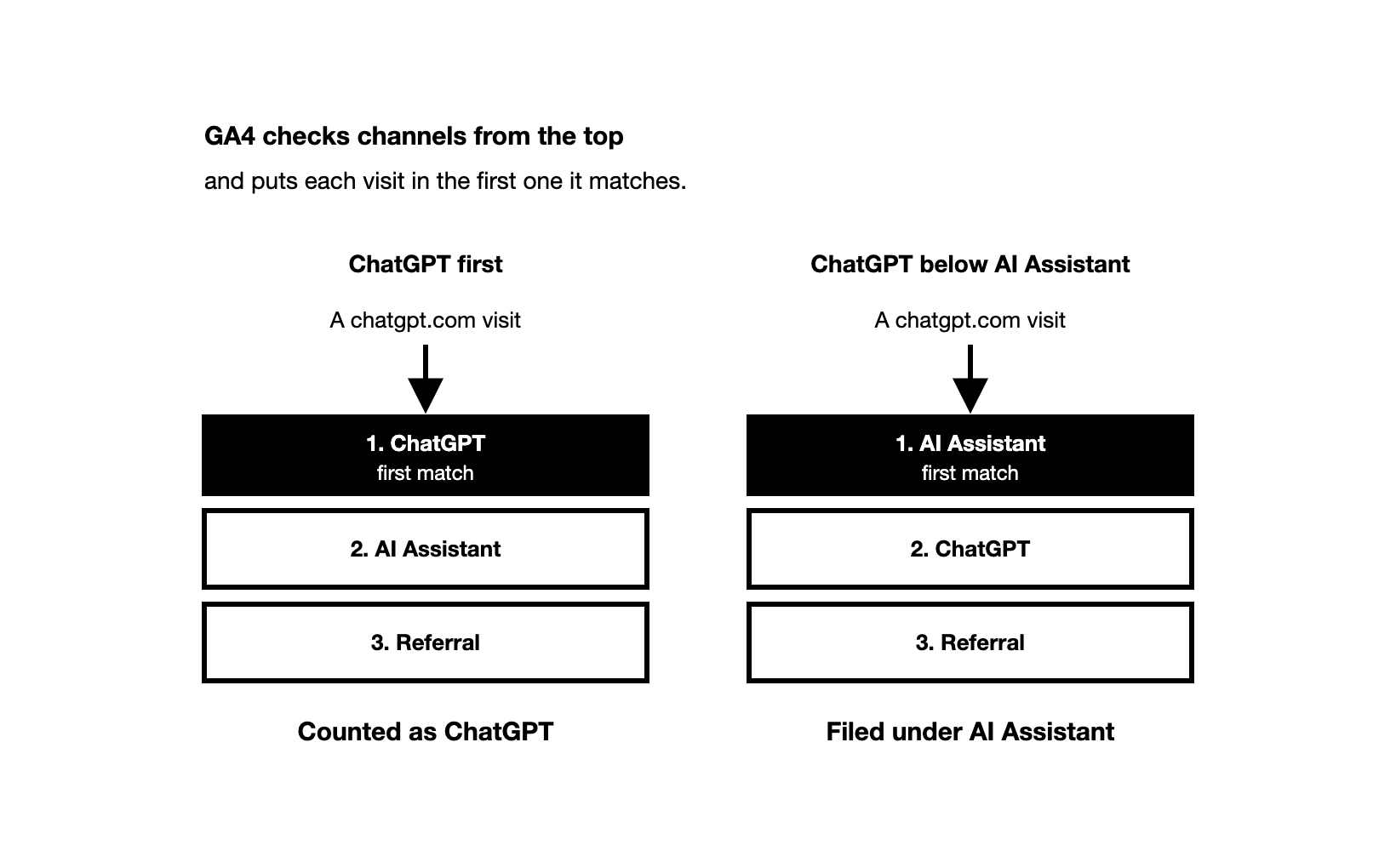
- Drag the ChatGPT channel to the top of the list. GA4 checks channels from the top and puts each visit in the first one it matches, which is why Google's own example moves its AI channel above Referrals.
- Save. Then open Traffic acquisition and switch the table's first column to your new channel group.
| Setting | What to enter |
|---|---|
| Channel name | ChatGPT |
| First condition | Source contains chatgpt.com |
| Second condition, joined with OR | Source contains chat.openai.com |
| Position in the list | First, above AI Assistant and Referral |
The second condition catches chat.openai.com, ChatGPT's older address, in your past data. If you prefer a single regex (pattern) condition, use Source matches regex chatgpt\.com|chat\.openai\.com. To check the setup, compare the new ChatGPT line with the chatgpt.com rows from the quick check above, over the same dates. If the ChatGPT line is lower, another channel sits above it.
Cannot edit the property's settings? Build the same view in an exploration, GA4's custom report builder under Explore. Add Session source as a dimension and filter it with the pattern above. It shows the same visits, but only to the people you share it with.
How do you find ChatGPT visits hidden in Direct traffic?
No GA4 setting can relabel a visit that arrived without a referrer or a tag, because GA4 never saw where it came from. What you can do is read the patterns these visits leave and ask your buyers.
How do you spot ChatGPT clicks that lost their referrer?
A typical Direct visit comes from someone who already knows you. They type your address or use a bookmark, and they often start on your home page. A ChatGPT click that lost its referrer looks different: a new visitor who starts on a deep page, such as the guide, comparison or help page that ChatGPT linked.
You can isolate that pattern in an exploration with these settings:
| Exploration setting | Value |
|---|---|
| Technique | Free form |
| Rows | Landing page + query string (the page address, including the part after the question mark) |
| Values | Sessions |
| Filter | Session default channel group exactly matches Direct |
| Filter | New / established exactly matches new |
| Filter | Landing page + query string does not exactly match your home page path, usually / |
Then compare the top landing pages in this view with the pages ChatGPT cites for your buyer prompts, which you record as shown further down. Say a comparison page gains Direct visits in the same weeks that ChatGPT starts citing it, and its chatgpt.com visits rise too. Those Direct visits are then likely to be ChatGPT clicks that lost their referrer.
Keep them as a separate "likely ChatGPT" line in your report. Never add them to the ChatGPT channel: some of them are clicks from untagged emails, links in documents or a colleague sharing an address.
How do you count buyers who read about you in ChatGPT but never clicked?
Say ChatGPT names your product in a shortlist but links only to a listicle on another site. A buyer who wants you then searches your name or types your address. That visit shows up as Organic Search or Direct.
We looked at data from the Zadoosh data platform: ChatGPT answers that showed sources, April to October 2026, B2B brands across software and other fields. ChatGPT named the brand without citing one of its pages in 8.1% of those answers. It cited one of the brand's pages without naming the brand in 5.2%. So being named with no link to your site was more common than the reverse.
GA4 cannot see these buyers, so ask them. Add a "How did you hear about us?" field to your demo and contact forms. List ChatGPT as its own choice next to the other AI assistants, and add a free-text box for the detail.
Ask the same question on every demo call, and ask what the buyer typed into ChatGPT if they remember. Their answers give you real buyer prompts to track. We often see ChatGPT leads reported as Google: the buyer searched your name on Google after ChatGPT named you, so analytics and the buyer both say Google first. A follow-up question catches them: "Did you find us in a Google search, or did an AI assistant suggest us?"
Then watch two signals over months, not weeks. The first is the share of demos where buyers name ChatGPT. The second is searches for your brand name.
In Search Console's Performance report, filter the queries to those that contain your brand name. Set each month's clicks beside your ChatGPT visibility, the share of ChatGPT answers that name your brand. When brand searches and your ChatGPT visibility rise together, ChatGPT is likely doing part of the work.
These signals show direction, but they cannot tell you which lead came from ChatGPT. AI visibility sits between performance and brand marketing: do not expect an exact value per mention, and do not call it unmeasurable either.
Could AI agents or llms.txt be causing a spike in Direct traffic?
AI agents can cause a spike, but llms.txt cannot. An AI agent is a tool that browses websites on a person's behalf, and ChatGPT has one. An agent that opens your pages in a real browser can run your GA4 tag the way a person does, and the visit can show up with no clear source. So when Direct traffic is spiking and no campaign explains it, check for automation before you credit buyers.
GA4 does not show request headers or user agents (the name a browser or bot sends with each request). Your server logs show them, and so do the logs of your CDN, the network that delivers your pages to visitors, such as Cloudflare. Look at the hours of the spike:
| What to look for in the logs | What it means |
|---|---|
| Requests from the ChatGPT-User agent | ChatGPT fetched the page because a person asked it a question |
| A Signature-Agent header (a line of data sent with the request) reading "https://chatgpt.com" | ChatGPT's agent, which signs its requests; check the signature against OpenAI's published keys |
| Requests from OAI-SearchBot | OpenAI's crawler that finds pages for ChatGPT search; a crawl, not a buyer |
| Requests from GPTBot | OpenAI's crawler for training data, with no buyer behind it |
| Requests from your own tools and tests | Your own automation: filter it out before you read the trend |
Only the user-action fetches tell you about demand. More ChatGPT-User requests mean more people asked ChatGPT questions that led it to your pages. Even so, a fetch shows that ChatGPT reached the page, not that it used or cited it.
Crawlers such as GPTBot fetch your pages without running your GA4 tag, so a crawl cannot cause a spike in GA4. llms.txt is a plain text file some sites publish for AI tools. A text file runs no GA4 tag either, so requests for it show up only in your server logs.
Which ChatGPT links can you tag with UTM parameters yourself?
UTM parameters are tags added to the end of a link, such as utm_source and utm_medium, that tell GA4 where a visit came from. You cannot edit the links inside ChatGPT's answers, and you do not need to. The utm_source=chatgpt.com tag we have seen on its citation links already names the source. Your job is to keep that tag intact and to tag the links you do control.
Check your redirects first: a redirect that drops the query string also drops ChatGPT's tag. If the click had no referrer either, the visit becomes Direct. To test it, add a test tag such as ?utm_source=redirect-test to the address of a few cited pages and open them. The tag should still be in the address of the page that loads.
Then tag the links you place yourself, such as those in your PDFs, other documents and emails. Tagged, their clicks stop showing up in Direct, where they mix with your "likely ChatGPT" visits. Use your own values, never utm_source=chatgpt.com. That is ChatGPT's own tag, and your ChatGPT channel counts every visit that carries it.
A custom GPT is a version of ChatGPT that you set up and share. If you publish one, put tagged links in its instructions, for example with ?utm_source=custom-gpt. Those visits show up under that source, apart from clicks on answer citations. Your ChatGPT channel counts them only if you add that source to it as another condition.
Which GA4 numbers show what ChatGPT visitors do on your site?
Open Traffic acquisition with your new channel group, filter it to the ChatGPT channel and add Landing page + query string as a second dimension. For each landing page, read engaged sessions, the visits where the person stayed or did something. Then read key events, GA4's name for the actions you count as conversions, such as a demo request.
Then compare the ChatGPT channel's key event rate, the share of its sessions with a key event, with Organic Search on the same landing pages. A page that converts search visitors well but ChatGPT visitors poorly may not match what the answer told them to expect.
Expect few visits, but do not assume they are worth little. In a Seer Interactive case study of one B2B software client, ChatGPT visitors converted at 15.9%, against 1.76% for Google organic (October 2024 to April 2025). That is one client, so measure your own rate before you plan around it.
Read the ChatGPT channel by month, not by week. With so few visits, one good or bad week moves its rates a lot.
Which prompts and citations bring your ChatGPT traffic?
GA4 shows the page where a ChatGPT visitor arrived, never the prompt that sent them. Say GA4 shows ChatGPT visits to your pricing page. It cannot tell you how often ChatGPT cited that page to buyers who never clicked. Tracking your own buyer prompts shows which of them cite that page, and how often, but no tool sees the prompts your buyers typed.
Landing pages are also a poor list of what ChatGPT cites, because most of what it cites is not yours. We looked at data from the Zadoosh data platform: ChatGPT answers from April to October 2026, B2B brands across software and other fields. The brand's own pages were about 4% of the pages ChatGPT cited. The rest were third-party pages (a listicle, a review site's editorial page, etc.) and community pages (a Reddit thread, user reviews on a review site, etc.).
So most citations a buyer can click lead to someone else's page. If that page names you and the buyer clicks through to your site, GA4 records that site as the referral, not ChatGPT. Look in your Referral channel for the third-party and community pages ChatGPT cites for your prompts. The visits they send you can be ChatGPT traffic one step removed.
How do you record which of your pages ChatGPT retrieves and cites?
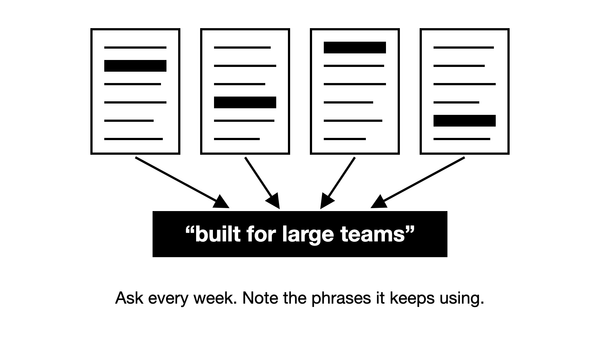
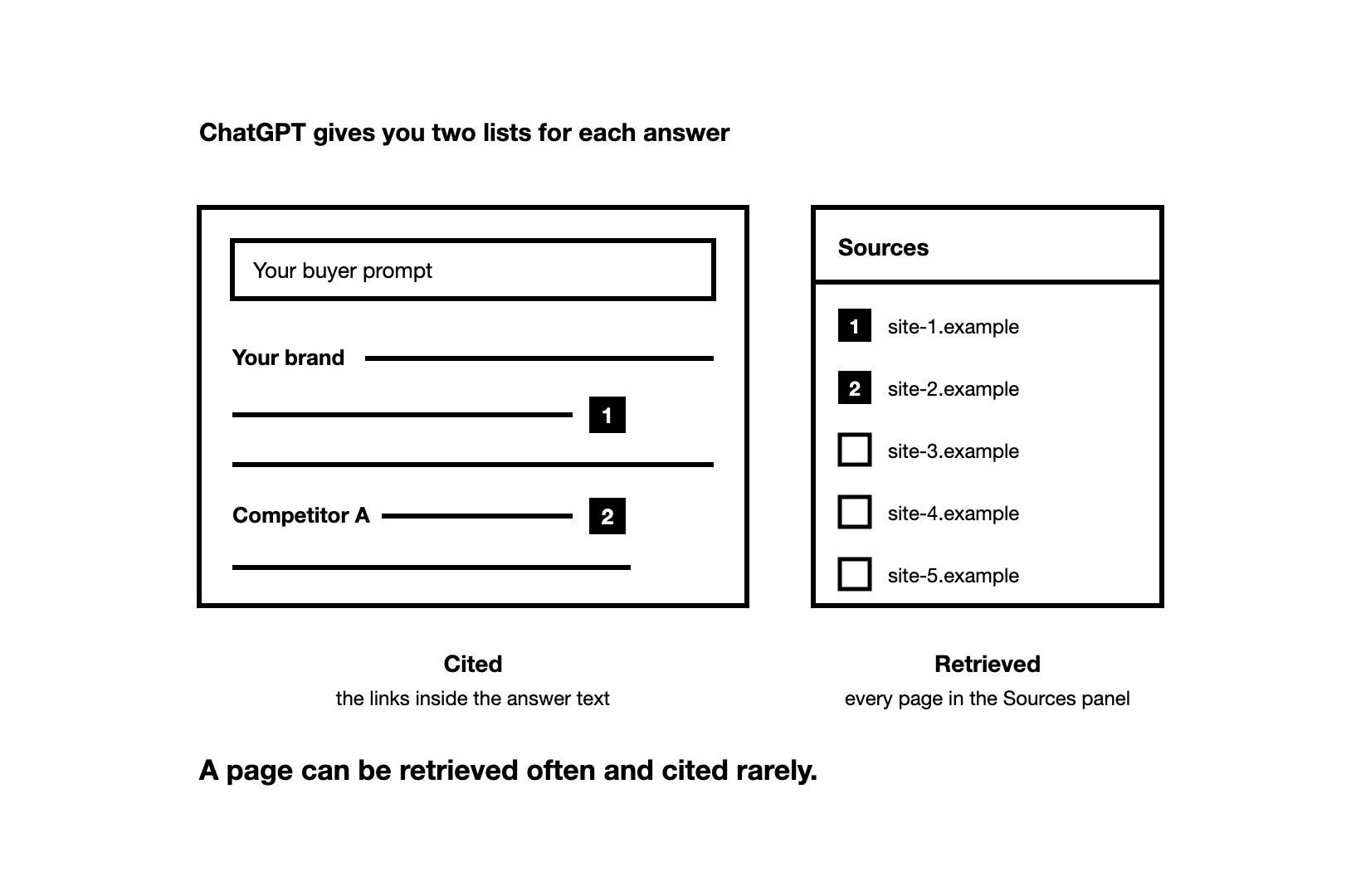
ChatGPT gives you two lists for each answer. Its Sources panel shows, in OpenAI's words, "cited sources and other relevant links". We count every page in that panel as retrieved, meaning ChatGPT pulled it in while it built the answer. Only the links inside the answer text are cited, so a page can be retrieved often and cited rarely.
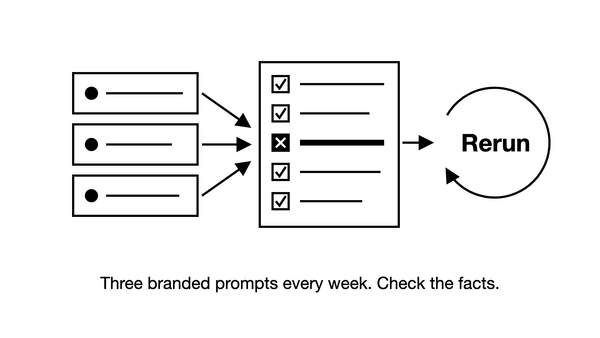
The same question can get different answers, and the most common mistake is a single check, often while logged in, treated as the truth. Run your checks logged out and from your buyers' country, because memory and location shape what ChatGPT searches for.
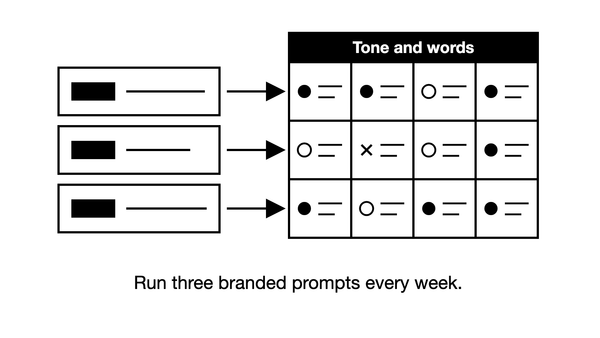
Run each of your buyer prompts 4 to 5 times for a first snapshot. For ongoing tracking, run each one once a day and read the result as a monthly trend.
For each run, record five things:
| What to record | Why it matters |
|---|---|
| The prompt, the date and the country | Keeps runs comparable over time |
| Your pages retrieved | Shows that ChatGPT pulls you in for this prompt |
| Your pages cited | The links shown in the answer text itself |
| The other pages cited | Shows what ChatGPT cites instead: third-party pages (a competitor's page, a listicle, etc.) and community pages (a Reddit thread, a forum post, etc.) |
| Whether the answer names your brand | Your visibility, a separate measure from your citations |
By hand this is slow, and a few hand runs only give you a rough idea. An AI visibility tool runs the prompts every day and keeps the cited pages of each answer. The Zadoosh AEO platform does this and shows when one of your pages starts being cited. As of November 2026, its free trial runs 25 prompts for 7 days, no card.
How do you match ChatGPT citations to the visits in GA4?
Put a month of tracked citations next to the same month's landing pages in your ChatGPT channel. Each of your pages then falls into one of four cases:
| Your page in ChatGPT answers | Visits in your ChatGPT channel | What it tells you | What to do |
|---|---|---|---|
| Cited often | Yes | The page probably earns its clicks on prompts like the ones that cite it | Keep it current and check that it stays cited |
| Cited often | Few or none | Buyers read the answer and move on | Keep the page, and check separately whether those answers name your brand |
| Not seen cited | Yes | Buyers reach it through prompts you do not track | Add prompts from your sales calls |
| Not seen cited | None | ChatGPT does not use the page for your prompts | Look at which pages it cites instead |
Asking ChatGPT itself which prompts would cite one of your pages gives you its guess, not a record of what buyers asked. The long, question-like queries in Search Console and the AI Performance report in Bing Webmaster Tools hint at how buyers phrase their questions. Neither shows ChatGPT's prompts, but both are good sources of new prompts to track.
How do you measure what ChatGPT citations do for your traffic?
Watch your citations first: they change before your traffic does. The clearest proof that your work caused a change is a page you created or updated being retrieved, then cited, and then your brand being named more often. If nothing you worked on is retrieved or cited, a rise came from somewhere else. Compare with your competitors before you take credit.
Then follow each page from month to month: its ChatGPT sessions in GA4, and the share of your tracked ChatGPT answers that cite it. Say a comparison page starts being cited for two of your prompts in April, after none in March. If its ChatGPT sessions also rise in April, the new citations are likely sending visits.
Visibility also moves on its own from week to week. Say your ChatGPT visibility rises a few points in one week. In ChatGPT data from the Zadoosh data platform (March to October 2026, B2B brands across software and other fields), most weekly moves in a prompt set's visibility were noise. The median move was about 3 points, and with under 100 answers a week, no weekly change could be told from noise.
So act on a weekly change of about 10 points or more when the set has 100 or more answers a week. Each run of each prompt is one answer. Read smaller moves over a month. When you are ready to connect your citations, visibility and ChatGPT visits to pipeline and revenue, the method is in our guide to measuring AI search visibility.
What should a monthly ChatGPT traffic report include?
Give AI visibility its own section in your monthly report, next to the SEO numbers, and add a quarterly summary for leadership. To monitor ChatGPT traffic in that section, use these rows:
| Row | What it shows | Where it comes from |
|---|---|---|
| Your pages retrieved and cited, with new ones marked | The earliest sign that ChatGPT uses your work | Your prompt tracking |
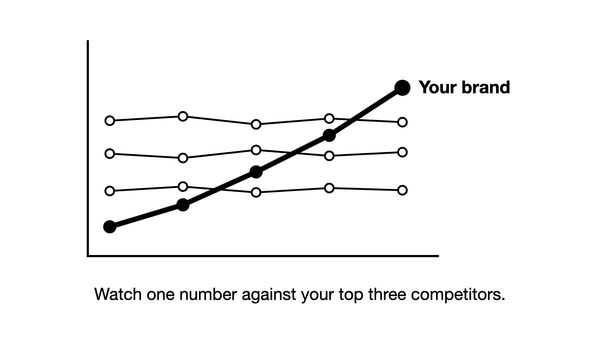
| Your ChatGPT visibility against your top competitors | Whether ChatGPT names you more often than them on your prompts | Your prompt tracking |
| ChatGPT sessions and key events, against the month before | The visits you can see, the least ChatGPT did for you | Your ChatGPT channel in GA4 |
| Top ChatGPT landing pages | Which of your pages buyers click from ChatGPT | Your ChatGPT channel in GA4 |
| The "likely ChatGPT" Direct line | Clicks that probably lost their referrer | Your Direct exploration |
| Leads that named ChatGPT | Buyers GA4 could not see | Your form field and call notes |
Set directional targets rather than a fixed percentage: rising visibility and a closing gap to your top competitors over a quarter. Our guide to AI visibility metrics covers which of these numbers to trust and which to drop.
Why did your ChatGPT referral traffic drop, and what should you check?
Work through these causes from the quickest check to the slowest:
| Check | What to look for | What it means |
|---|---|---|
| The report | A report or filter built on Referral, or on chatgpt.com / referral | Since 13 May 2026, GA4 files these visits under AI Assistant: the fall is a relabel, not a loss |
| Your channel group | A ChatGPT channel moved below AI Assistant, or an edited condition | GA4 now files the visits under another channel |
| Moved or renamed pages | Old addresses that return an error instead of a permanent redirect to the new page | ChatGPT may keep citing the old address, and those clicks fail |
| robots.txt, the file that tells crawlers what they may fetch | A rule that blocks OAI-SearchBot | OpenAI says sites that opt out of it are not shown in ChatGPT search answers |
| The citations | The pages whose ChatGPT visits fell, missing from the answers to the tracked prompts that used to cite them | ChatGPT now cites other pages for those prompts |
The last check takes the most care. Run those tracked prompts again, and compare what ChatGPT cites now with what it cited before. Use many runs, not one.
We looked at ChatGPT data from the Zadoosh data platform, April to October 2026, B2B brands across software and other fields. Two runs of the same prompt on the same day shared 22% of the cited pages. So a single run can make your page look dropped when it is not.
If your page dropped out, look at the pages cited now and count how many mention your brand. If 4 of 10 do, ChatGPT still finds your brand in the pages it cites, even though it no longer cites yours. If your page is gone from the answers across a week of daily runs, act on it. If it is only cited less often, read the change over about a month.
If your pages are still cited as before and the setup is intact, fewer buyers may be asking. No engine publishes how many people ask a prompt, so prompt volume estimates are only a rough guide.
How do you track Gemini, Perplexity and other AI traffic alongside ChatGPT?
Add a second channel for the other assistants directly below ChatGPT, still above AI Assistant and Referral. Give it a pattern such as gemini\.google\.com|perplexity\.ai|copilot\.microsoft\.com|claude\.ai. Google's channel group help names the same assistants in its example of an AI channel: ChatGPT, Gemini, Microsoft Copilot, Claude and Perplexity.
Perplexity is missing from the assistants Google names in its AI Assistant definition, so do not rely on that channel to count its visits. Our guides to tracking your brand in Gemini and Perplexity cover how each one's visits show up in GA4.
GA4's AI Assistant channel also leaves out AI Overviews and AI Mode. GA4 counts their clicks as Organic Search, mixed with ordinary Google clicks, and Search Console is where Google reports those two features. Its Generative AI performance report shows impressions of your pages in them, and every site has had it since 31 August 2026. The full method is in our guide to measuring your brand in AI Overviews and AI Mode.
If you use an analytics tool other than GA4, two checks carry over. Its channel rules should match chatgpt.com before the general referral rule. And it should read the utm_source tag as well as the referrer, or tagged ChatGPT clicks with no referrer will count as Direct.
Frequently asked questions
Can I see ChatGPT traffic in Google Analytics to check what an agency delivers? Partly: your ChatGPT channel shows whether ChatGPT sessions and key events rise, but it is a floor that moves slowly. The better test is whether the pages the agency created or improved, on your site or elsewhere, start being retrieved and cited for your prompts. Set that beside your ChatGPT visibility against your top competitors, and read both monthly as a direction rather than against a fixed number. Ask for the prompt list and the raw answers behind every number, so you can check a few prompts yourself, logged out.
Does blocking GPTBot stop traffic from ChatGPT? No. GPTBot is OpenAI's crawler for training data, and OpenAI says its setting is independent of OAI-SearchBot, the crawler behind ChatGPT search. So you can allow OAI-SearchBot and disallow GPTBot and still appear in ChatGPT's search answers. If ChatGPT visits stop after a change to your bot rules, check your firewall and CDN as well as robots.txt.
Does ChatGPT traffic show up in Google Search Console? No. Search Console reports Google Search only. It counts AI Overviews and AI Mode in its Performance report under the Web search type, but a click on a link in a ChatGPT answer never appears there. ChatGPT clicks show up only in your analytics, as chatgpt.com visits or hidden in Direct.
Can I see how much ChatGPT traffic my competitors get? Not from GA4, which measures only your own site. Third-party web traffic tools give estimates of a competitor's ChatGPT traffic, not counts of its visits. What you can measure yourself, on the buyer prompts you track, is how often ChatGPT names each competitor and which of their pages it cites. Those numbers are the earlier signal, because visibility against competitors moves before traffic does. Track the competitors ChatGPT actually names in your answers, which may not be the ones you expected.