How to Measure Your Brand in AI Overviews and AI Mode
To measure your brand in Google AI Overviews and AI Mode, check a fixed set of buyer queries on each surface regularly and read Search Console as a trend line.
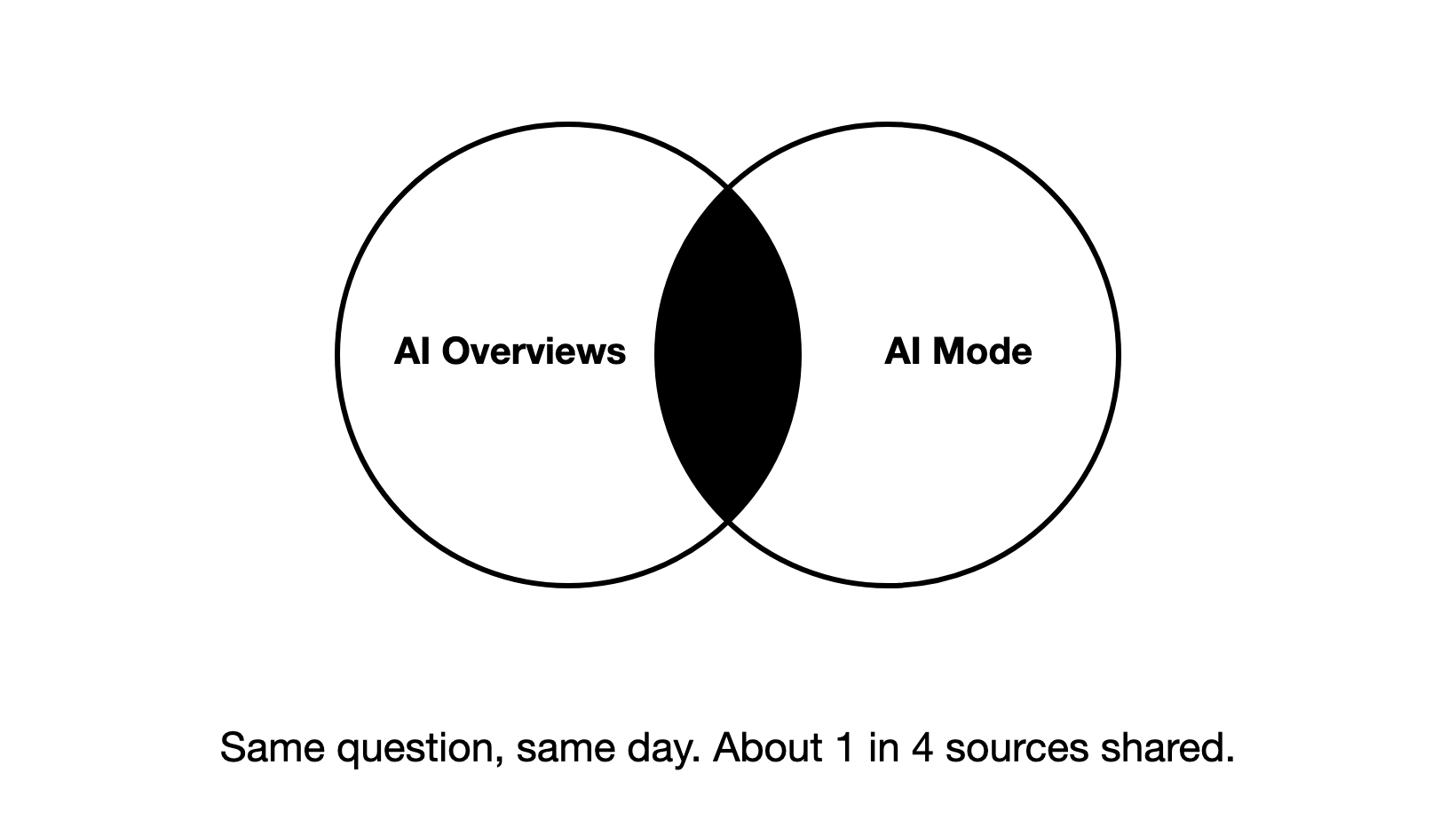
You measure your brand in Google AI Overviews and AI Mode by checking the same set of buyer queries on each surface regularly, signed out, and recording whether an answer appears, whether it names or cites you, and who it names instead.
AI Overviews and AI Mode sit inside Google Search, so they reach buyers who never open a chatbot. They are also two different products. Track them as one and you will miss where your brand shows up in one and disappears in the other.
This guide walks through the method step by step, with a tracking sheet you can copy. It is part of our guide to measuring AI visibility.
What are AI Overviews and AI Mode, and why measure them separately?
AI Overviews are the AI summaries Google places at the top of some search results. AI Mode is a separate, chat-style search mode that Google describes as built for questions that need more exploration, reasoning or comparison.
| AI Overviews | AI Mode | |
|---|---|---|
| Where it appears | Above the normal results, for some searches | In its own mode, when the searcher chooses it |
| What it gives | A short summary with a few supporting links | A longer answer with more links, plus follow-up questions |
| When it shows | Only when Google judges it adds something | Whenever someone uses AI Mode |
Google says the two may use different models and techniques, so the answers and links they show will vary. It also says AI Overviews show only when its systems judge them additive to classic Search, and so they often do not appear at all.
Our own data shows how far apart they can be. In data from the Zadoosh data platform (May to October 2026, cited sites from June), when we compared AI Overviews and AI Mode answers to the same prompt on the same day, they shared only about 1 in 4 of the sites they cited. When one of the two named the brand being tracked, we saw the other leave it out more often than not.
So a brand can be visible in AI Overviews and missing in AI Mode on the very same query. That is why every step below runs on each surface separately.
They also work differently. AI Overviews works more like a next-generation Google Search: a summary on top of the results, shown only for some searches. AI Mode works more like ChatGPT: a conversation, with follow-up questions. So measure them differently, and do not compare them head to head.
Step 1: Which queries should you track?
Start with 20 to 30 queries, then adjust to the brand. A small set you check regularly tells you more than a large set you check once.
Pick queries a buyer would type before they know your name:
- Problem queries: "how to keep remote projects on schedule"
- Category queries: "best project management tools for remote teams"
- Comparison queries: "[competitor] alternatives", "[tool A] vs [tool B]"
Three places to find them:
- Search Console. Your own non-branded queries that already earn impressions.
- Keyword research. The questions in your category with real search demand.
- Sales and support. The exact questions prospects ask your team.
Keep branded queries ("is [your brand] good") out of the main set. Google almost always names a brand when the searcher names it first, so they inflate the result and hide the real question: are you found when the buyer does not know you yet?
Group the queries by topic, so you can see where you win and where you are absent. And keep the set stable. If the queries change every month, you cannot tell a real change from a different question.
Step 2: How do you check AI Overviews?
Run each query on Google from a clean session: signed out or in a private window, from the country your buyers are in. Your own history and location change what you see.
For each query, record five things in this order:
- Did an AI Overview appear? Check this first. If no Overview showed, there is nothing to win on that query today, and that is not a content problem.
- Is your brand named in the Overview text?
- Is one of your pages cited as a supporting link? Note which page.
- Which competitors are named, and in what order.
- Which sites are cited instead of you: review sites, listicles, Reddit threads, competitors' own pages.
The cited sites matter as much as the mention: they tell you where your brand needs to be present.
Step 3: How do you check AI Mode?
Switch to AI Mode and ask the same queries, in the same clean session. AI Mode answers at more length, so expect more links: in our data, AI Mode cited a few more links per answer than AI Overviews.
Because AI Mode behaves more like ChatGPT, one answer tells you little. Ask each query several times and record the share of answers that name you, the way you would for ChatGPT.
Record the same five things, plus one more: ask one natural follow-up question, the way a buyer would ("which of these is best for a small team?"). AI Mode is made for exploring a topic across several questions, and a brand that appears in the first answer can drop out of the second.
Keep AI Mode results in their own columns. Never average them with AI Overviews. A combined score hides exactly the gaps you are looking for.
Step 4: What does Search Console show for AI Overviews and AI Mode?
Search Console helps, but it cannot replace the checks above.
- Visits from both surfaces are counted inside your normal Search traffic, in the Performance report under the "Web" search type. There is no filter that splits AI Overviews or AI Mode clicks out from ordinary results.
- Google's generative AI performance reports, announced in June 2026, show how often your pages appeared in AI features, by page, country, device and date. They report impressions only, with no clicks and no queries, and they first rolled out to a subset of sites.
- In the Performance report chart, two results from the same site for one query count as one impression, so appearing in the Overview and in the blue links does not double your number.
Use Search Console as a trend line for "are my pages showing up in AI features more or less often". Use your own checks to learn which queries, which surface, and who you are up against.
If you see AI impressions but almost no clicks, do not read it as a finding: the generative AI reports do not show clicks at all. An impression means a link to your page appeared in an AI answer. To see what happened next, look at the same pages in the normal Performance report. If their clicks fell while their AI impressions rose, the AI answer may be answering people without a visit; that is our reading, not something Google reports. Then judge by what happens after a click: Google says clicks from results pages with AI Overviews are higher quality, so check conversions and time on site in your analytics. Google first rolled these reports out to a subset of sites, so check whether yours shows them yet.
Step 5: How should you record the results?
One row per query, per surface, per check. A simple sheet is enough:
| Date | Query | Surface | Answer shown? | Brand named? | Your page cited | Competitors named | Sites cited instead |
|---|---|---|---|---|---|---|---|
| 6 Oct | best project management tools for remote teams | AI Overviews | Yes | No | none | Rival A, Rival B | g2.com, a listicle |
| 6 Oct | best project management tools for remote teams | AI Mode | Yes | Yes | /pricing | Rival A | reddit.com, g2.com |
From the sheet, three numbers per surface are worth tracking each week:
- Answer rate: the share of your queries that showed an AI answer at all.
- Mention rate: of the queries that showed an answer, the share that named your brand.
- Citation rate: of the queries that showed an answer, the share that cited one of your pages.
Step 6: How do you read the results over time?
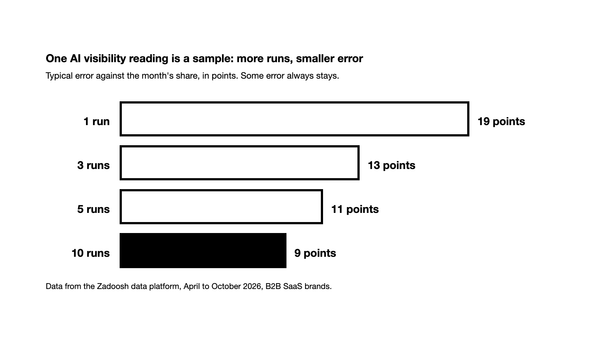
The most common mistake we see is one check and a big conclusion: someone searches once, often while logged in, and treats the result as the truth.
The answers move. In the same data (June to October 2026), we saw AI Overviews keep about half of the sites it cited from one day to the next, falling to about a third a week later. AI Mode kept a little under half of its cited sites from one day to the next.
Which brands get named moves too. In our data (June to October 2026), a brand named in an AI Overview one day was named again the next day only about half the time.
A second mistake we see often: rushing out a shallow page to fill a gap. If the page has no real data or depth, it rarely becomes a source an AI answer leans on.
So read trends, not single results:
- Collect often, ideally daily. Look at it every day or every few days, but decide on the trend, never on one week of data.
- Collect a few weeks before you judge. That is your baseline.
- Act on patterns. A brand missing from the same query for three weeks running is a signal. Missing once is not.
Then keep checking. The engines change how they find sources and the real answers change over time, so what you measured last month needs re-checking. For why answers change at all, see does ChatGPT give everyone the same answer.
What should you do when your brand is missing from AI Overviews?
Start from the citations, not from your own page. There are two cases, and they need different fixes.
Before either, confirm the Overview still appears for that query. Sometimes the answer is that Google stopped showing an Overview, not that you lost it.
Case 1: You were in the answer, and you dropped out
- Find the source that used to carry you. Which cited page named your brand when you were in the Overview?
- Check whether that source is still cited. If it dropped out too, the problem is very likely at the citation level, not your content.
- Look at what is cited now, and measure your density in it: of the pages the answer now cites, how many mention your brand? Ten cited pages with your brand on four is a density of 4 in 10. If the new sources barely mention you, that is where the work is.
Case 2: None of your pages are cited at all
- Note what type of page gets cited for the query: in-depth guides, comparisons, listicles, research or data pages, forum threads.
- Compare it with what you have. If you have a page of that type, improve it so it is closer to what gets cited. If you do not, create one.
- Make it deep. The pages that keep getting cited tend to be research-driven, with real data and specifics. A thin page written to fill a gap rarely gets picked up.
- Decide from history, not from one look. Watch what AI Overviews and AI Mode cite for the query over a few weeks, ideally a month or more, before you brief your content team. One week can mislead you; a month of the same page types gives you confidence.
Should you track by hand or with a tool?
Checking by hand works well for a set of 20 to 30 queries, and it teaches you how each surface behaves. It stops scaling when you need more queries, several countries, or daily history.
If you move to a tool, look for four things:
- It tracks AI Overviews and AI Mode separately, not as one blended score.
- It stores the full answer and every cited link, so you can check any number yourself.
- It covers the countries your buyers search from.
- It keeps history, so you can read trends across weeks.
That is how the Zadoosh AEO platform handles it, alongside ChatGPT, Gemini, Copilot and Perplexity: each surface tracked on its own, with the full answers kept.
Frequently asked questions
How do I measure my brand in Google AI Overviews? Pick 20 to 30 buyer queries, search each one on Google signed out, and record whether an AI Overview appeared, whether it named or cited your brand, and which competitors and sites it used instead. Repeat it often, ideally daily with a tool, and decide on the trend over weeks.
Can AI searches be tracked? Yes, by sampling. AI answers change from one check to the next, so you run the same queries repeatedly and track the share of answers that mention or cite you, rather than a single position.
What triggers Google AI Overviews? Google says it shows AI Overviews only when its systems judge them to add something beyond classic Search, which is why they often do not appear. Google does not publish a list of which queries trigger them, so check your own queries directly.
Does Search Console show AI Overview data? Partly. Clicks and impressions from AI Overviews and AI Mode are included in the Performance report under Web search, mixed with ordinary results. The newer generative AI reports show impressions by page, country, device and date, but not clicks or queries.
Does AI Mode show the same results as AI Overviews? Often not. Google says the two may use different models and show different links. In our data from June to October 2026, the two shared only about 1 in 4 of the sites they cited for the same prompt on the same day.