AI Crawler Monitoring: Which AI Bots Visit Your Site
AI crawlers such as GPTBot, ClaudeBot and PerplexityBot show up in your server logs by user agent, but a fetch shows access, not a citation.
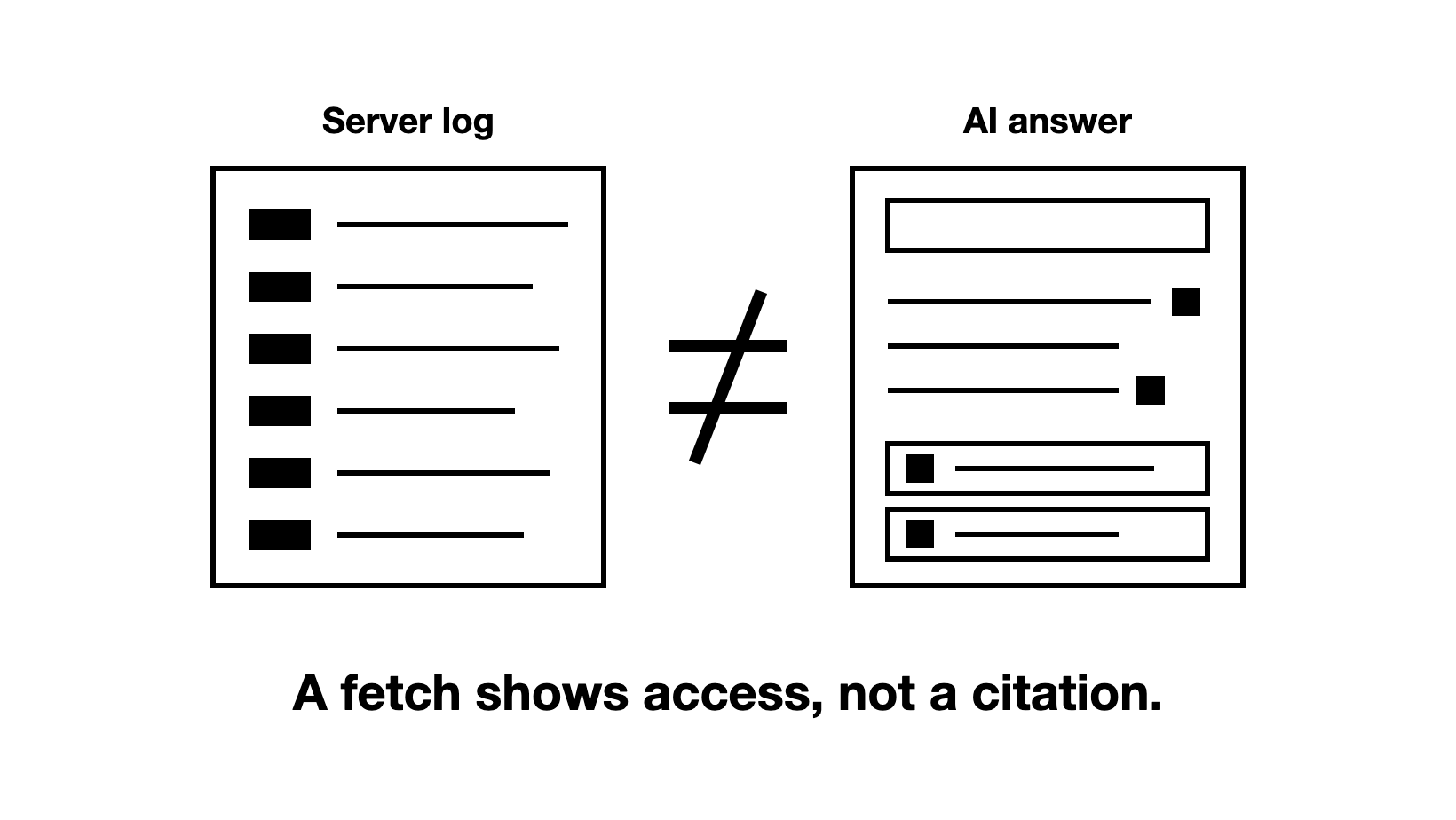
AI crawlers such as GPTBot, ClaudeBot and PerplexityBot show up in your server logs by user agent, with every page they request, but a fetch shows access only, not whether an AI answer cited or named you.
AI bots are the automated visitors AI companies send to your site. Crawlers collect pages to train models or to build a search index. Fetchers open a page when a user's question needs it.
AI crawler monitoring means finding these bots in your server logs and checking that each one is real. Then you read which pages each bot fetched and what your server sent back. That tells you whether the engines can reach the pages you want them to cite, and which pages people's questions send them to.
A citation is a page an AI answer shows as a source for what it says. It can be your own page, a third-party page (a competitor's page, a listicle, etc.) or a community page (a Reddit thread, a forum post, etc.). Buyers rarely click citations, but engines use the cited pages to decide which brands to name.
Which AI bots visit your site, and what does each one do?
Each bot in the table below names itself in its user agent, a short text that the visiting software sends with every request.
| User agent | Company | What it does |
|---|---|---|
| GPTBot | OpenAI | Training crawler. Collects pages that may be used to train OpenAI's models |
| OAI-SearchBot | OpenAI | Search crawler for ChatGPT search |
| ChatGPT-User | OpenAI | Fetcher for ChatGPT users |
| ClaudeBot | Anthropic | Training crawler |
| Claude-SearchBot | Anthropic | Search crawler for Claude's search results |
| Claude-User | Anthropic | Fetcher for Claude users |
| PerplexityBot | Perplexity | Search crawler for Perplexity's index |
| Perplexity-User | Perplexity | Fetcher for Perplexity users |
| Googlebot | Google Search's crawler | |
| Bingbot | Microsoft | Bing's crawler |
Each company describes its bots on its own page: OpenAI, Anthropic and Perplexity. To appear as a supporting link in AI Overviews or AI Mode, Google says a page must be indexed and eligible to show in Google Search with a snippet. So Googlebot is the crawler to watch for both.
Google-Extended has no user agent of its own, so it never shows up in your logs. It is only a name you use in robots.txt, the file that tells crawlers what they may visit. A rule that names it controls whether Google may use your pages to train future Gemini models and as sources for answers in Gemini Apps and Vertex AI. Google says it does not affect whether your site is included in Google Search, and it is not a ranking signal there.
Copilot sends its searches to Bing, so Bingbot is the crawler to watch for Copilot. ChatGPT also uses Bing's index, as one of several. OpenAI recently built an index of its own, there may be others, and OpenAI has not made the mix public.
You will also see crawlers from Meta, Apple, Amazon, ByteDance and Common Crawl. Bot names change, so check any name you do not recognize against its owner's documentation.
How do you detect AI crawlers on your website?
Your server's access log is the record. It holds one line per request. To find AI bots, search the user-agent field of each line for their names. If your log lines carry no user agent, ask your host or developer to switch to a log format that records it.
| Field in a log line | What it tells you about an AI bot |
|---|---|
| IP address | Where the request came from. You need it to check that the bot is real |
| Date and time | When the bot came, so you can count its visits by week or month |
| Request | The page it asked for, such as /pricing |
| Status code | Whether your server delivered the page. 200 means it did |
| Response size | How much your server sent. A very small response can mean an error page or an empty one |
| User agent | The bot's name, such as GPTBot or ChatGPT-User |
On your own server, the log is a file, such as the Nginx or Apache access log. Managed hosting usually offers it as a download in the control panel.
If you or your developer can open the raw log, one search finds the OpenAI, Anthropic and Perplexity bots:
grep -E "GPTBot|OAI-SearchBot|ChatGPT-User|ClaudeBot|Claude-SearchBot|Claude-User|PerplexityBot|Perplexity-User" access.log
If a CDN (a content delivery network, such as Cloudflare) sits in front of your site, your server's log can miss AI bot requests. When the CDN serves a stored copy of a page, the request never reaches your server. It shows up only in the CDN's own logs or dashboard.
Cloudflare's AI Crawl Control lists each AI crawler that requests your pages. It shows allowed and unsuccessful requests and any robots.txt violations, with no log work. On the free plan it identifies crawlers by user agent only, so a scraper that calls itself GPTBot counts as GPTBot there.
Your robots.txt file shows which bots you allow, not which ones came. GA4's AI Assistant channel counts visits from people who arrive from ChatGPT, Gemini, Copilot and other assistants. How to measure that traffic is covered in How to Measure AI Search Visibility.
Is a bot that calls itself GPTBot really from OpenAI?
Not always. A user agent is plain text, and any scraper can send the word GPTBot. OpenAI publishes the IP ranges its bots use on its bots page, so check the IP address of each request against them.
A request that names GPTBot but comes from outside those ranges is not verified as OpenAI's, so keep it out of your counts. Check against the current list, because the ranges change.
Perplexity publishes its ranges too, and Google documents a DNS check for Googlebot. A bot whose owner publishes neither ranges nor a DNS check cannot be checked this way. Keep its requests in a separate, unverified count.
Which of your pages do AI crawlers fetch most, and is it growing?
Group the verified AI bot lines in your log four ways.
| Group by | What it shows |
|---|---|
| Bot and its job | How much of the traffic is training crawls, search crawls or fetches for users |
| Page | Which pages each bot asks for most |
| Status code | Which requests got an error status (4xx or 5xx) instead of a 200 |
| Month | Whether visits to each page are rising or falling |
Read each job on its own. A training crawl tells you nothing about demand. A fetch for a user is closer, because ChatGPT-User opens a page when someone's question needs it. We read a rise in those fetches as a sign that more questions lead to that page.
Some of those fetches are your own. When your team, or a tool you use, asks ChatGPT about your category, ChatGPT may open your pages too. Note when those checks run, so a spike on those days is not read as buyer interest.
If you do not work with logs yourself, ask your developer or host for a monthly table with four columns: bot, page, status code and number of requests. An SEO log file analyzer can also import the log and group the requests by bot and by page.
To sort your pages by how AI answers use them, count citations in the answers to your tracked prompts, not fetches. Tracked prompts are the buyer questions you ask AI engines again and again, recording each time whether the answer names your brand and which of your pages it cites. Prompt tracking is that repeated asking and recording. Then score each cited page on three measures.
| Measure | What it counts |
|---|---|
| Reach | The share of answers whose citations include the page |
| Engine coverage | How many of the engines you track cite the page |
| Persistence | The share of days the page was seen cited |
Judge growth month on month. Small weekly changes in citation numbers are hard to tell from noise. A page is growing when more answers cite it, on more engines, on more days.
How do you tell whether AI agents fetch your product and pricing pages?
Filter your log by bot name and by page path at once, for example ChatGPT-User requests for /pricing. For this check, AI agents are bots that act for one person. They include the fetchers for users (ChatGPT-User, Claude-User and Perplexity-User) and AI tools that browse a site to finish a task, such as comparing vendors.
For narrow buyer questions, we see AI answers cite vendors' pricing pages, homepages and docs. Start with those, then your product, feature, integration and security pages. Run the same filter for the search crawlers, such as OAI-SearchBot and PerplexityBot, to see whether each engine crawls those pages for its index.
Some agent visits stay hidden. An agent that browses in an ordinary browser can send a browser's user agent, so it looks like a person in your log. Treat your counts as a minimum.
As of August 2025, requests from ChatGPT's agent carried a signed line, a Signature-Agent header that names chatgpt.com. Checking that signature against OpenAI's published keys confirms the visit came from ChatGPT. A standard access log does not record this header, so your developer has to add it to the log format first.
Do AI bots use your llms.txt and agents.md files, and how would you know?
Your log can show whether bots download llms.txt or agents.md. It cannot show whether an engine used either file in an answer. You test that through citations.
An llms.txt file is a plain-text file at the root of a site, such as yourdomain.com/llms.txt. It points AI tools to the pages you think matter most. The check below works the same for agents.md or any other file you publish for AI tools.
Search your log for /llms.txt and note which bots request it and how often.
To judge whether the file helps, watch the pages it lists. Are they cited more often in the answers to your tracked prompts in the months after you publish it? Check your competitors over the same months before you give the file the credit, because other changes move citations too.
Does an AI bot visit mean an AI answer cited or named you?
No. To answer a question, an engine often runs more than one search, a step called query fan-out. ChatGPT, for example, typically rewrites a query into one or more targeted queries. Every page those searches bring into the engine's pool is retrieved (ChatGPT calls these pages sources).
Say the engine retrieves 30 pages. It might cite 7 or 8 of them. While it writes, it may also name your brand, and then your brand is mentioned: named in the answer's text, first or fifth, with a link or without one.
Every mention counts toward your AI visibility. AI visibility is how often AI engines such as ChatGPT, Gemini and Google AI Overviews name your brand when buyers ask the questions you care about.
| What you want to know | Your server log | Prompt tracking |
|---|---|---|
| Can AI bots reach your pages? | Yes | Indirectly, if your pages are retrieved |
| Which pages do bots fetch, and how often? | Yes | No |
| Do answers retrieve your pages? | No | Partly, in ChatGPT's Sources and similar views |
| Do answers cite your pages? | No | Yes |
| Do answers name your brand? | No | Yes |
| Which other sites are cited instead of you? | No | Yes |
In ChatGPT, most retrieval is served from copies of pages stored earlier, not from live visits. So a page can be retrieved, and even cited, on a day when your log shows no AI bot on it.
Mentions can come with no visit to your site at all. Say a buyer asks ChatGPT for the best tools in your category, and the answer names you. The page behind that mention may be a review on another site, or there may be no page at all, because the model learned your name in training.
Well-known brands are often named with no page cited. A newer brand usually gets named only when the engine finds a page it can cite.
We looked at data from the Zadoosh data platform, April to October 2026, B2B brands across software and other fields. Across all engines, the brand's own pages were about 6% of the pages AI answers cited. The rest were third-party and community pages.
In ChatGPT, April to October 2026, 8.1% of the answers that showed sources named the tracked brand without citing one of its pages. Fewer, 5.2%, cited one of its pages without naming it.
Your log shows none of these citations or mentions, because it records only requests to your own site. So mentions and citations have to be counted from the answers themselves, as two separate numbers.
How do you monitor your real AI citations?
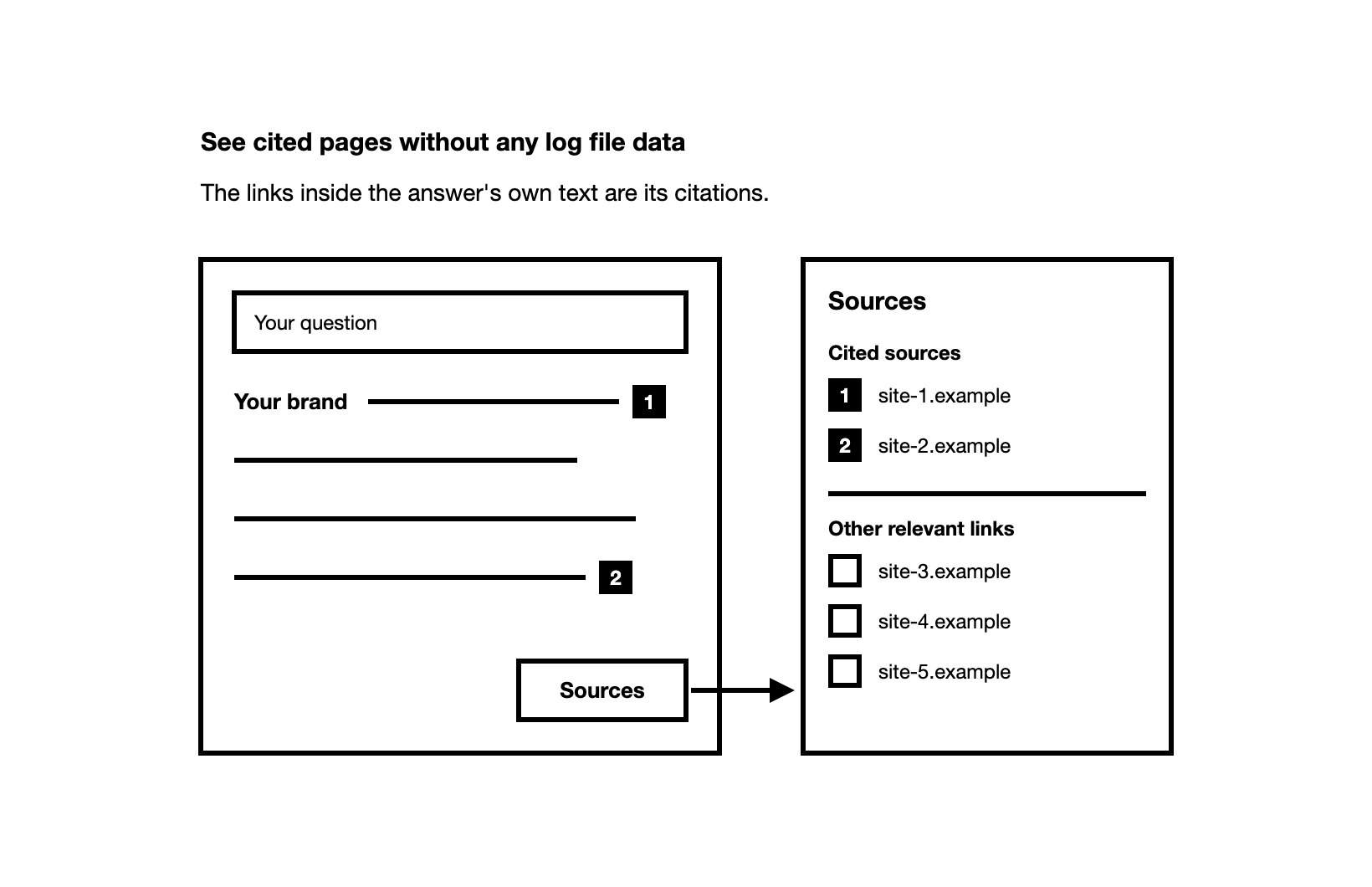
You can see retrieved and cited pages without any log file data. In ChatGPT, select Sources under an answer, which OpenAI says shows cited sources and other relevant links. The links inside the answer's own text are its citations. Most engines show their sources in a similar way.
Since August 2026, every site has Search Console's generative AI performance report, which shows how often links to your pages appeared in AI Overviews and AI Mode. Bing Webmaster Tools' AI Performance report, launched in public preview in February 2026, shows how often Copilot and Bing's AI summaries cite your content. Neither report shows your brand being named, so to see mentions across engines you still run prompts.
Which comes first: prompt tracking or AI crawler log analysis?
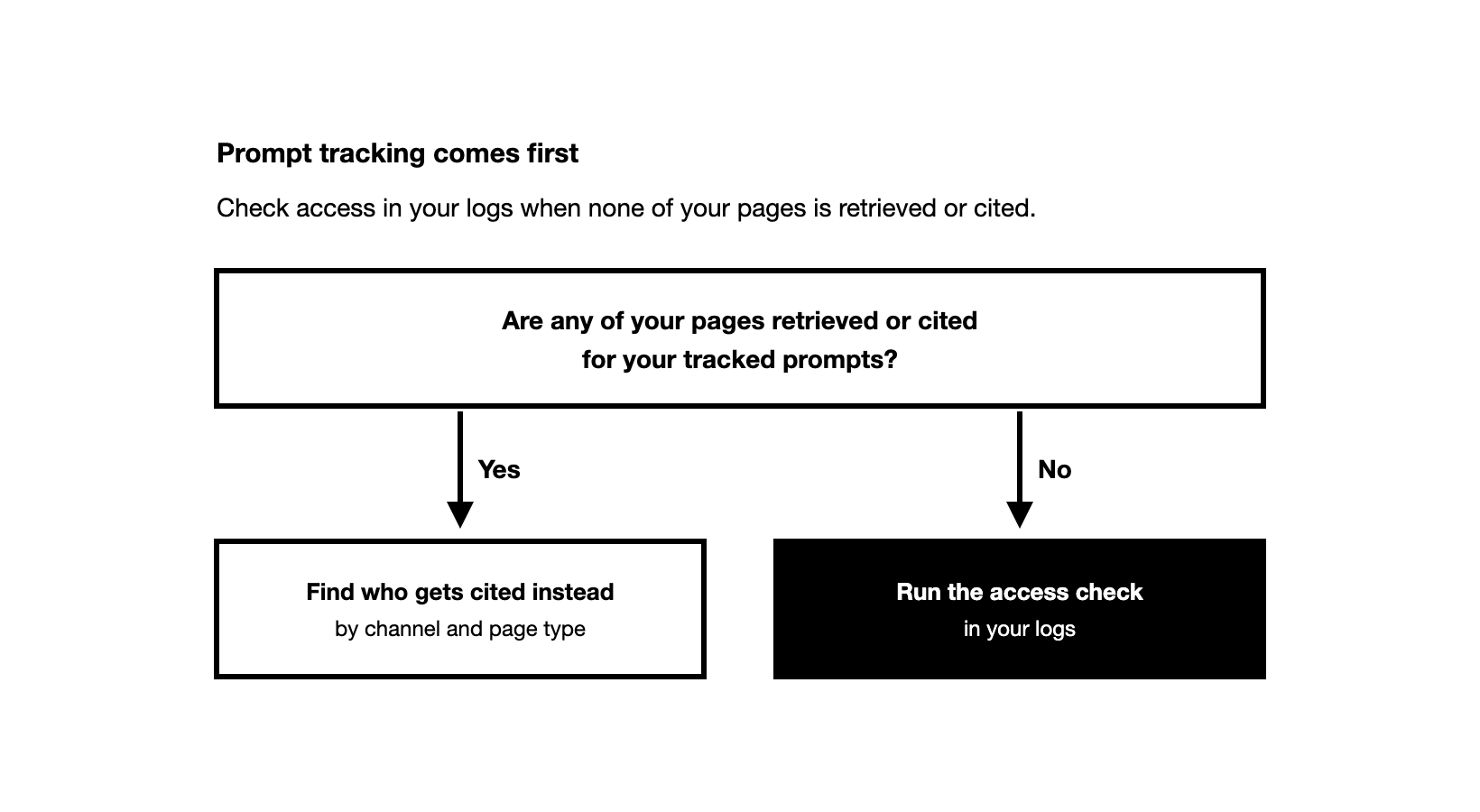
Prompt tracking comes first. Check access in your logs when none of your pages is ever retrieved or cited for any of your tracked prompts. If some of your pages are cited, the engines can reach your site. Why logs cannot stand in for monitoring your brand is set out in How to Monitor Brand Mentions in AI Search.
If your pages are cited for some prompts but not others, the log will not tell you why. Start with the citations in the answers you miss: who gets cited instead of you, and through which channel, meaning your own site, third-party pages or community pages. Then look at the type of page those answers cite. Work first on the prompts where an existing page of yours is close to what AI cites.
For a first look, the Zadoosh AEO platform's free trial runs your prompts on ChatGPT, Gemini, Perplexity, Copilot, AI Overviews and AI Mode. As of November 2026, it runs 25 prompts for 7 days, with no card.
How do you spot a failed AI bot visit?
A failed visit is an AI bot request that did not get the content of the page. On Cloudflare, you can start with the unsuccessful requests in AI Crawl Control.
| What you see in the log | What it means | What to check |
|---|---|---|
| A 403 Forbidden status for an AI bot | Your server or firewall refused the request | Firewall, bot protection or CDN rules that block AI bots |
| A 429 Too Many Requests status | The bot was rate-limited, which means told to slow down | Rate limits set too tight for the bots you want |
| A 404 Not Found status | The page the bot asked for is not there | Old links or moved pages that bots still request |
| A 5xx server error status, such as 500 or 503 | Your server failed while answering | Load or errors on your server at that time |
| A 200 status on a page behind a login or a form | The bot got the login or form page, not the content | Whether the facts you want cited sit on open pages |
| A 200 status on a page whose text appears only after JavaScript runs | A bot that does not run JavaScript got the page without its main text | Whether the main text is in the HTML your server sends |
| No requests from a search crawler for weeks | A rule may be stopping it, in robots.txt or at your CDN | robots.txt rules that name AI bots or catch them by accident, and your CDN's bot settings |
Should an AEO report include AI crawler data?
Only when none of your pages is retrieved or cited, and then as one line. AEO (answer engine optimization) and GEO (generative engine optimization) are two names for the same work. Both mean getting a brand named and cited in answers from AI engines such as ChatGPT, Gemini and Perplexity. Either way, lead the report with AI visibility tracking, not bot and crawler analytics.
Report your AI visibility and, as a separate line, how often your pages are retrieved and cited. The second line gives the earliest sign that the work is paying off. When a page you created or improved starts being retrieved and cited, show that, even before your mentions move.
The crawler line says whether the search crawlers reach your key pages without errors. Keep raw fetch counts out of the results. Send the report monthly, as its own section next to your SEO numbers. The rest of what it needs is in Which AI Visibility Metrics Matter?
Frequently asked questions
Does blocking GPTBot keep your site out of ChatGPT answers? No. Blocking GPTBot tells OpenAI not to use your pages for training. ChatGPT search answers depend on OAI-SearchBot, which you allow or block on its own in robots.txt. Sites that block OAI-SearchBot are not shown in ChatGPT search answers, though they can still appear as navigational links. Even then, ChatGPT can name your brand from third-party pages, community posts or what the model learned in training.
Can your server logs show which question made ChatGPT open a page? No. A ChatGPT-User line shows the page, the time and the bot, but never the user's question or the answer. To learn which questions lead to your pages being cited, track the questions your buyers ask as prompts. For Copilot, Bing's AI Performance report shows a sample of the phrases the AI searched with when it cited your content.
How can you tell whether AI crawlers obey your robots.txt? If a crawler whose IP address checks out requests a path your robots.txt blocks for it, the crawler did not follow the rule. Cloudflare's AI Crawl Control lists robots.txt violations too. Perplexity says its fetcher for users, Perplexity-User, generally ignores robots.txt, because a user asked for the page. Anthropic says all three of its bots honor robots.txt. A robots.txt file asks bots to stay out but cannot stop them, so protect anything private with a login or a firewall rule.
How often should you review AI crawler logs? Monthly is enough for trends, alongside your AEO report. Check at once after any change to robots.txt, your firewall or CDN rules, or your site's design, because one wrong rule can block every AI bot.