How to Track Brand Mentions in Perplexity
Run unbranded buyer prompts once a day with a tool, and record separately whether Perplexity names your brand and which URLs it cites in each answer.
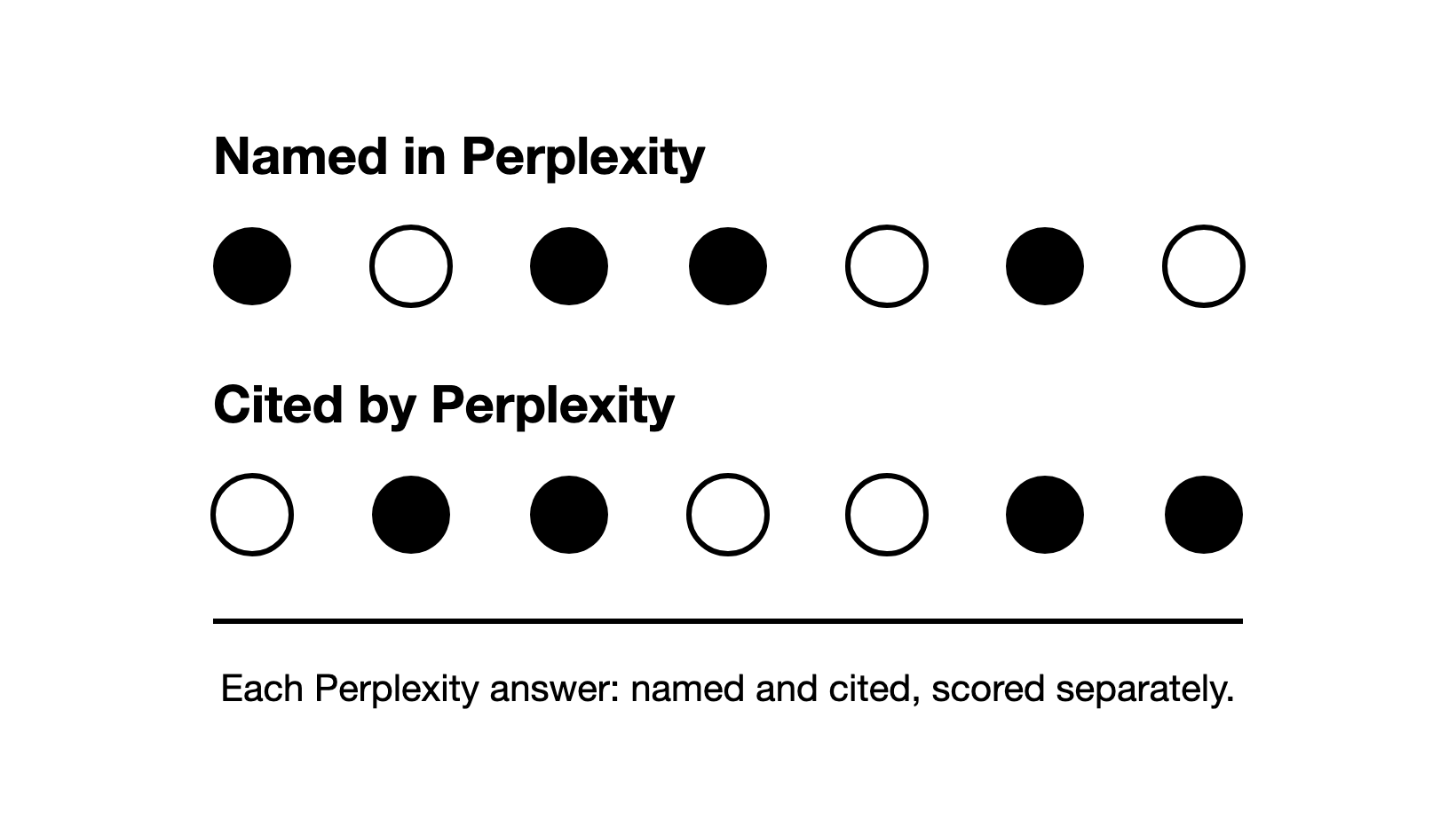
To track brand mentions in Perplexity, run a fixed set of unbranded buyer prompts once a day with a tool, and record separately whether each answer names your brand and which URLs it cites.
Buyer prompts are the questions your buyers type when they look for a product like yours. Unbranded means the prompt does not name you, so Perplexity names you only if it chooses to. This guide covers the Perplexity part of measuring AI search visibility.
Perplexity answers carry numbered citations that link to the pages they drew on (how Perplexity works). That makes the cited pages simple to log. But the brands an answer names and the pages it cites can change from one run of a prompt to the next. So you track Perplexity by sampling: you run the same prompts the same way, many times, and read the results as shares.
How is tracking your brand in Perplexity different from Google rank tracking?
Google rank tracking records where your page sits on the search results page (SERP) for each of your keywords. Perplexity has no list of ten links for your page to sit in. It writes one answer in its own words.
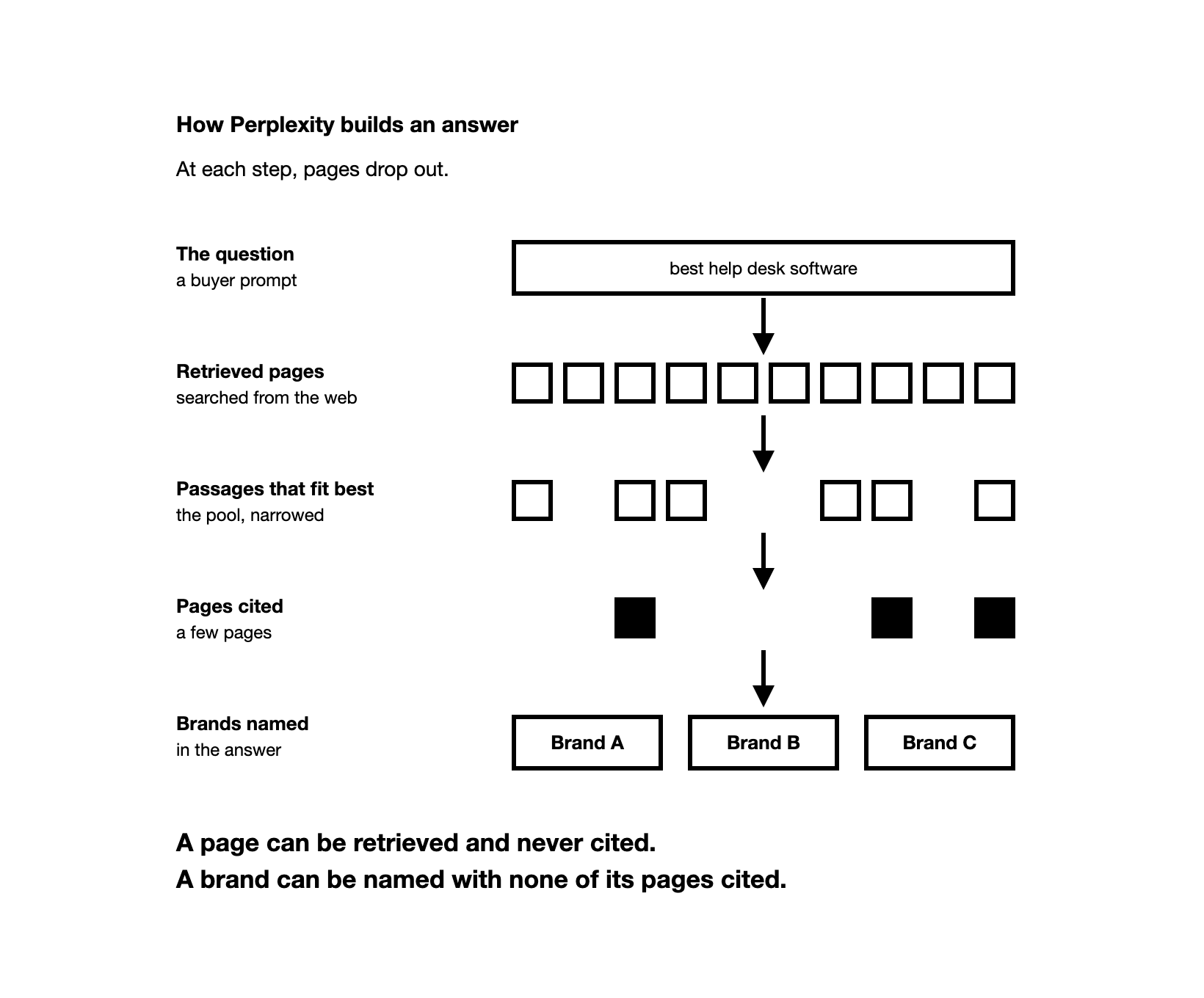
To build that answer, Perplexity searches the web and gathers a pool of pages, called the retrieved pages. It then narrows the pool to the passages that fit the question best. Perplexity's research team has described the reranking models that score passages for this step. From what is left, it writes the answer, cites a few pages and names the brands worth naming.
At each step, pages drop out. A page can be retrieved and never cited, and a brand can be named with none of its own pages cited. That is why the method below scores names and citations separately.
Those differences change what you track:
| Google rank tracking | Perplexity tracking | |
|---|---|---|
| What you check | A keyword | A buyer prompt: a full question in the buyer's words |
| What you record | Your page's position | Whether the answer names your brand, and which pages it cites |
| How often | Once a day per keyword | Once a day per prompt, read as a monthly trend |
| A good result | A higher position | A rising share of answers that name you |
ChatGPT cites pages only when it searches the web, which it may do when your question would benefit from current information. We looked at ChatGPT on tracked buyer prompts, in data from the Zadoosh data platform (March to October 2026, B2B brands across software and other fields). It cited at least one page in 98% of answers. So on buyer prompts, Perplexity and ChatGPT both almost always cite pages (how to track your brand in ChatGPT).
Your Google tools never see a Perplexity answer. A rank tracker follows Google's results, and Search Console's generative AI report covers only AI Overviews and AI Mode. It counts impressions of your pages there, not your brand being named. If you track AI Overviews too, they need a method of their own, because only some searches show one (how to track AI Overviews).
Why should you score Perplexity mentions, citations and recommendations separately?
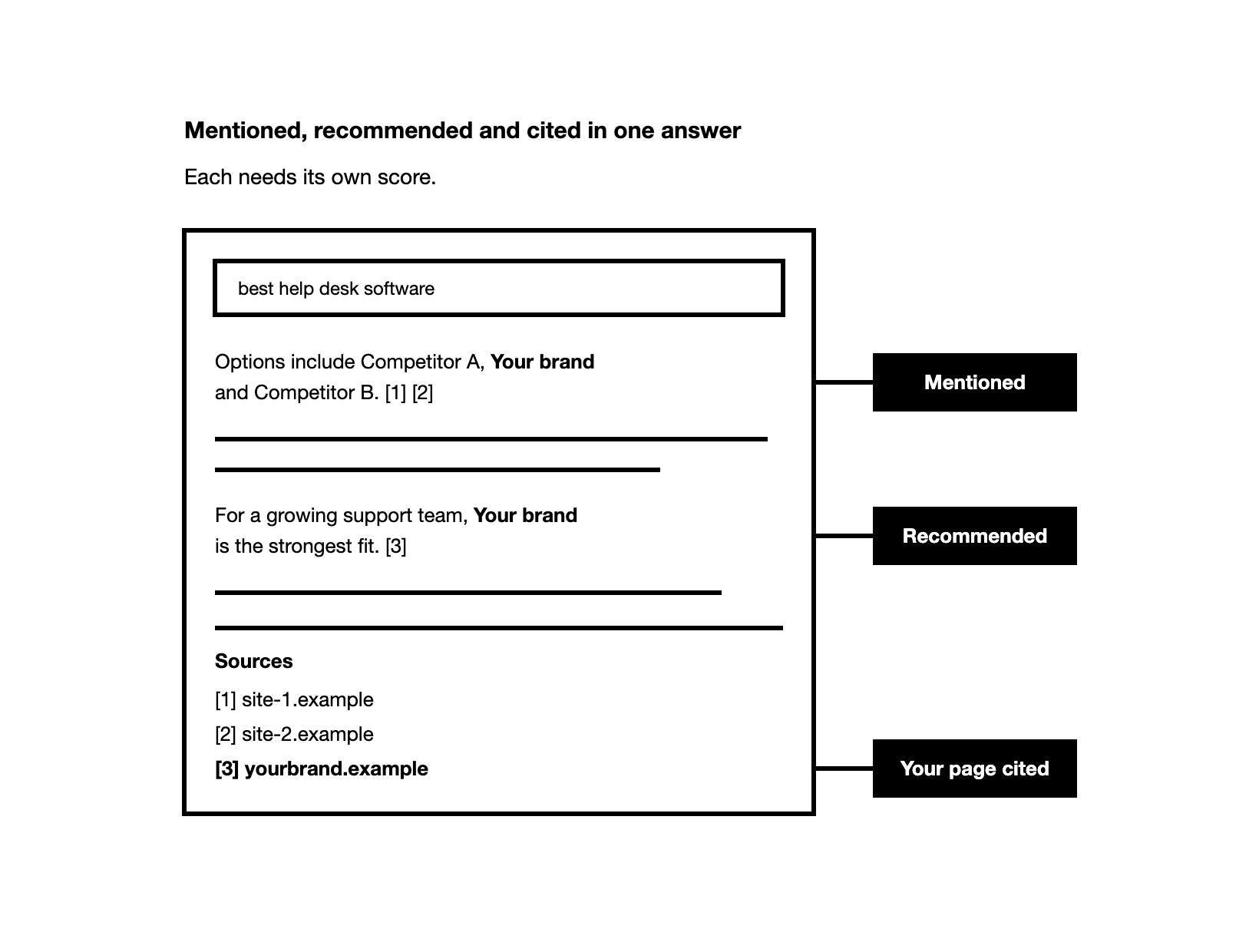
Each Perplexity answer can give your brand three results, and each needs its own score:
- Mentioned: the answer names your brand in its text, first or fifth, with a link or without one. Any mention counts toward your AI visibility, the share of answers that name you. A mention can come from your pages, third-party pages, community threads or what the model learned in training.
- Cited: the answer shows a page as a source, which in Perplexity is a numbered citation. The page can be your own, a third-party page (a listicle, a review site's editorial page, etc.) or a community page (a Reddit thread, a forum post, etc.). As a metric, "your pages cited" means at least one citation points to your own domain.
- Recommended: the answer names your brand as the best fit for the buyer, not as one option among several.
"For a growing support team, Brand A is the strongest fit" is a recommendation. "Options include Brand A, Brand B and Brand C" is a mention. Log recommended in its own column, because a brand can be named often and recommended rarely.
Perplexity's help pages say a thread keeps all the sources used for its answers. They do not say whether that list includes retrieved pages that were not cited. If your tool marks pages as found but not cited, that list shows your retrieved pages. Our guide to mentioned, cited and retrieved explains all three terms.
What does each mix of named and cited tell you in Perplexity?
Keep brand named and your pages cited as two yes or no columns. Each answer then falls into one of four cases:
| Brand named? | Your page cited? | What it tells you |
|---|---|---|
| Yes | Yes | Perplexity drew on your page and named you |
| Yes | No | The name came from other pages, or from what the model learned in training |
| No | Yes | Perplexity used your page as evidence but named other brands, or none |
| No | No | You are absent: check which pages it cited instead |
If you mix the two columns, you miss real gaps. Say Perplexity cites your pricing page but names three rivals and not you. Counted as one score, that answer looks like a win.
In our data (June to October 2026, B2B brands across software and other fields), we looked at Perplexity answers that showed sources. About 11% named the brand without citing one of its pages, and about 12% cited one of its pages without naming it.
Citations still matter for mentions, because engines use the pages they cite to decide which brands to name.
Which prompts should you track in Perplexity, and how many?
Your prompt set is the list of buyer prompts you run on AI engines again and again. Use the same set in Perplexity as on the other engines you track, so you can compare the numbers. Every visibility number is a share of answers to that set, so the set decides what the number means (how to choose prompts to track).
Count only visibility prompts in your visibility number: buyer prompts that do not name your brand. A short one such as "best help desk software" shows how you do in the whole category. To see how you do with the buyers you serve, write prompts the way they ask, with their role, company and need. For example: "I run support at a mid-size B2B software company and we are replacing our help desk tool. Which options handle email and chat in one inbox?"
Keep branded prompts, such as "What is [your brand]?", out of that number: they show how Perplexity describes you, not whether buyers find you. Leave out informational prompts, such as "What is a help desk?", or track them as a separate list for citations only, because they rarely name any brand.
Start with 20 to 30 visibility prompts, then adjust the set to your brand. How many prompts to track covers when to add more, and our free Prompt Builder helps you draft them.
How do you run and log Perplexity checks the same way every time?
The most common mistake is one check, often logged in, treated as the truth. A single run tells you little, because the next run of the same prompt can name different brands. Say Perplexity names your brand in 4 of every 10 answers to a prompt: one run shows you only named or not named.
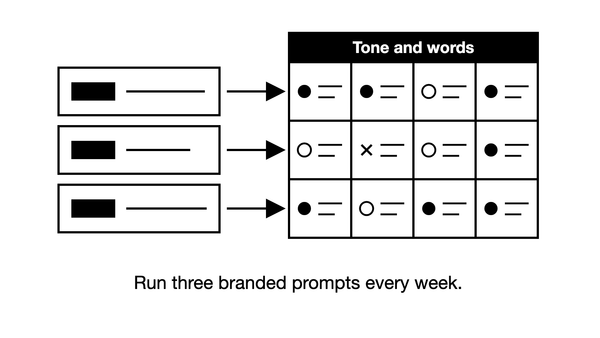
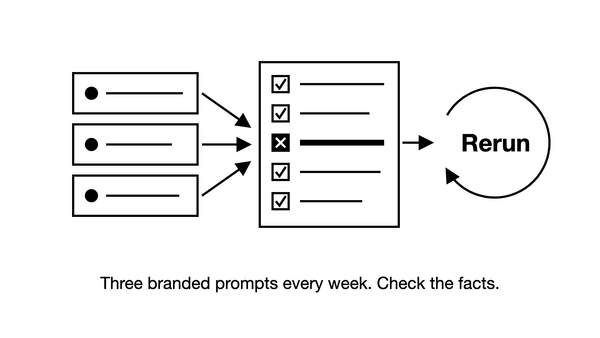
So run each prompt once a day, per country, and read the results as a monthly trend. About 10 runs give a rough read of one prompt. Each extra run helps, but some error always stays.
Keep everything else fixed, so that a change in the numbers comes from Perplexity, not from how you ran the check:
| Setting | How to keep it fixed |
|---|---|
| Prompt | The same words on every run |
| Country and language | Run each market on its own, from that country and in its language |
| Search mode | Perplexity has more than one, such as Pro Search. Pick one, record it and keep it |
| Thread | A new thread for each prompt. A thread keeps your earlier questions and its answers, so earlier context can carry into the next answer |
| Follow-up questions | None. If buyers give context over several questions, put it all into one longer prompt |
| Account | Logged out for checks by hand, never your everyday account |
Log each answer as one row, in a spreadsheet or in a tool that fills the same fields:
| Field | What to record |
|---|---|
| Date | The day of the run |
| Prompt | The exact text |
| Country and mode | Where it ran, and in which search mode |
| Answer text | The full answer, so you can recheck any score later |
| Named | Yes or no |
| Recommended | Yes or no |
| Brands named | Every brand, in the order the answer names them |
| Cited URLs | Every numbered citation, with its number |
| Your pages cited | Yes or no, and which of your URLs |
How do you track the pages and URLs Perplexity cites?
Save every numbered citation as a full URL, not only your own pages. The full URL tells you which page Perplexity used, not just which site. Across all your prompts, the list shows which pages Perplexity relies on in your category.
Expect more than one or two citations in an answer. In our data (June to August 2026, B2B brands across software and other fields), Perplexity answers that cited at least one page cited about 4 pages each.
Then sort each cited page into one of three channels:
- Your own site: any page on your domain.
- Third-party: pages others publish, such as listicles, the editorial pages of review sites, comparison articles, other vendors' sites, etc.
- Community: pages users write, such as Reddit threads, forum posts, user reviews on review sites, etc.
Compare each channel's share of all cited pages, never the share of answers. An answer can cite pages from several channels at once, so counting answers blurs the split. When your visibility moves, the channel whose share grew is the likely cause.
Most cited pages belong to someone else. Across all engines in our data (April to October 2026, B2B brands across software and other fields), third-party pages were 80% to 86% of cited pages. The range depends on whether review sites count as third-party or community.
In the same data, brands' own pages were about 14% of Perplexity's cited pages (June to October 2026), against about 4% for ChatGPT (April to October 2026). So your own site is a real channel in Perplexity, but most of its citations still go to other people's pages.
Work on all three channels. Look at which third-party and community pages Perplexity cites for your prompts, and work to be included in them where it fits.
How do you find out why Perplexity leaves your brand out?
Start from the citations, not from your own page. Find the cited page that used to bring your brand into the answer, and check whether it dropped out too. If it did, the change happened at the citation level, not on your site.
Then look at what Perplexity cites now, and at your density: of the cited pages, the share that name your brand. If it cites 4 pages and 1 names you, your density is 1 in 4. If you were never named, start with who Perplexity cites instead of you, and what kind of pages they are.
How do you track Perplexity rankings, share of voice and competitors?
Perplexity has no positions for keywords. To track a keyword, turn it into a prompt: ask it as a question, then add the buyer's context. When people say they rank in Perplexity, they mean one of three numbers, and each answers a different question:
- Visibility %: the share of answers to your visibility prompts that name your brand. This is your headline number.
- Share of voice: your mentions as a share of all brand mentions in those answers. The share of answers that name you is visibility %, even when a tool labels it share of voice. There is no standard definition, so check what your tool divides by.
- Position: where your brand appears among the brands an answer names, for example second of five. AI answers have no fixed positions 1 to 10, and the order changes between answers. Position is noisy, so track it only once your visibility is decent (how to monitor brand mentions in AI search).
Say Perplexity answers your prompts 10 times and names your brand in 4 of those answers: your visibility is 40%. Across the 10 answers it names brands 20 times, and 4 of those names are yours: your share of voice is 20%.
Measure share of voice against the brands Perplexity actually names, not only the rivals you expect. If the rivals you expected never appear and you rarely show up near the front either, your prompts may be too generic. If they never appear while you show up near the front again and again, you are winning.
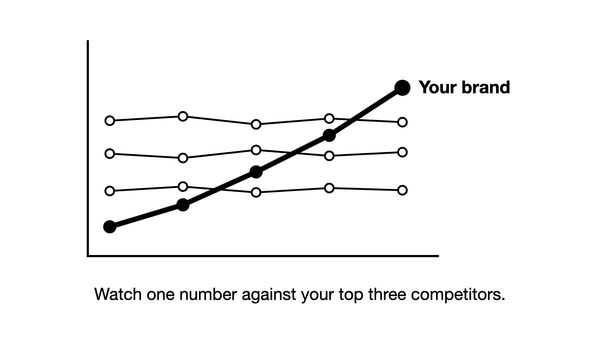
There is no universal good score. Compare yourself with your top 3 competitors on the same prompts, and look for your share rising over about 3 months.
How do you automate Perplexity checks when manual testing takes too much time?
Checking by hand gives you a sense of where you stand, never a verdict, even for a first audit. A weekly hand check gives each prompt only 4 or 5 answers a month. Tracking needs about 10 or more runs per prompt.
Daily runs by hand do not scale either. A set of 20 prompts run once a day means 20 answers to read and log every day, for one country on one engine. So automate the runs with a tool you can check:
- It records answers from the Perplexity app. Some tools collect answers through Perplexity's API instead, the access it offers to software. Perplexity says the API and the web app share search infrastructure but differ in tools, settings and models, so results can differ. App answers are closer to what buyers see.
- It shows the raw answer text and the cited URLs behind every number.
- It keeps your prompts, country and mode fixed, and runs each prompt once a day.
Before you trust a tool, check a few prompts by hand, logged out, against what it recorded. Most tools offer a free trial, which is enough for this check. How AI visibility tools work covers the app and API difference in more depth.
On a tight budget, cut engines before you cut runs. Track fewer engines, and run a few prompts every day rather than many prompts once a week: for example, 10 prompts daily.
How do you build an automated Perplexity visibility trend report?
The tool that runs your daily checks keeps every answer, so each month's numbers are already in it. Once a month, take the same lines from it into your report and write what changed and why.
Give Perplexity its own section in that report, next to your SEO numbers, with a short quarterly summary for leadership. Set directional targets, not a fixed percentage: visibility rising and the gap to your top competitors closing over a quarter.
When you add prompts, report two lines: visibility across all prompts, and visibility on the original prompts only. The second line is like-for-like: it compares the same questions over time. The first line now measures a different set, so it can move because of the new prompts alone.
The earliest sign that your work is paying off is the page you worked on: your own page, a third-party article or a community post. Report when it starts being retrieved and cited for your prompts. In Perplexity, that shows as its URL among the numbered citations. Mentions of your brand usually follow later.
A monthly Perplexity section can carry these lines:
| Line in the report | What it answers |
|---|---|
| Visibility %, all prompts | Is the monthly trend rising? |
| Visibility %, original prompts only | Did visibility move on the same questions, if you added prompts? |
| Share of voice against your top 3 competitors | Is the gap to them closing over the quarter? |
| Your pages cited | Is Perplexity citing your own pages more often? |
| Cited pages by channel | Which channel moved: your own site, third-party or community? |
| New pages retrieved and cited | Is recent work being picked up yet? |
| Recommended | Is Perplexity naming you as the best fit more often? |
How do you tell a real weekly change in Perplexity from noise?
Daily tracking shows every weekly change, so decide in advance which ones you act on. Say you track 15 prompts in Perplexity, once a day in one market: that is just over 100 answers a week. Then your visibility goes from 30% to 36% in one week, a rise of 6 points.
In our data for ChatGPT (March to October 2026, B2B brands across software and other fields), most weekly moves in a prompt set's visibility were noise. The median move was about 3 points. Under 100 answers a week, no weekly change could be told from noise. Act on a weekly change of about 10 points or more when the set has 100 or more answers a week.
Read smaller moves over a month. In the same ChatGPT data, comparing one 4-week block with the next, changes of 3 to 6 points were already likely real. On the budget plan of 10 prompts a day, you get under 100 answers a week, so read your numbers month by month.
The 6-point rise in the example is below the 10-point rule. Note it, and at the end of the month compare the last 4 weeks with the 4 weeks before.
Frequently asked questions
Does Perplexity traffic show up in Google Analytics 4? Yes, but check which channel it goes to. Google Analytics 4 (GA4) added an AI Assistant channel in May 2026, and its examples name ChatGPT, Gemini, Deepseek, Copilot and Grok, but not Perplexity (AI Assistant channel). Google does not publish the full list. To be sure, build a custom channel group, a grouping you set up yourself, with an AI channel placed above Referral. Google's own example includes Perplexity, and the group also applies to past data (custom channel groups). Visits count clicks on citations, not how often Perplexity names you.
Is tracking brand mentions in Perplexity worth it for a B2B brand? It is if your buyers use Perplexity to research vendors. To find out, ask prospects on sales calls which AI tools they use, and check whether Perplexity sends you visits. If your buyers are not on Perplexity, track the engines they do use.
Can you track your brand in Perplexity for free? By hand, yes: run your prompts logged out and log each answer. That shows you roughly where you stand, but it is not a number to report. As of November 2026, the Zadoosh AEO platform's free trial runs 25 prompts for 7 days, no card. It covers Perplexity, ChatGPT, Gemini, Copilot, AI Overviews and AI Mode, from the countries you choose (start a free trial).
Does Perplexity cite Reddit threads often? Not in our data. Reddit threads were under 1% of the pages Perplexity cited (June to August 2026, B2B brands across software and other fields). Check which community pages, if any, Perplexity cites for your own prompts before you plan work there.