How to Track AI Visibility by Location and Language
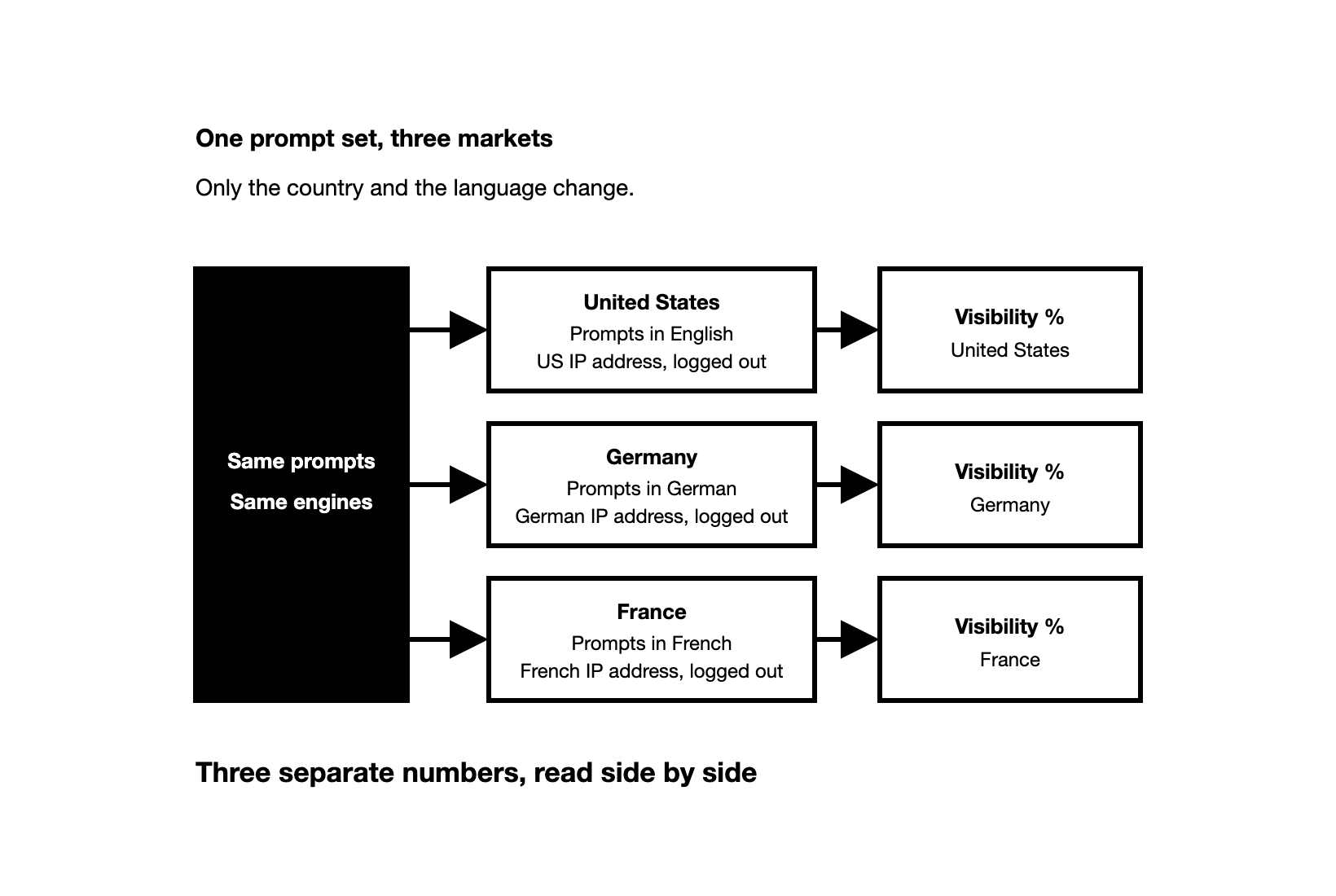
Run the same prompts on the same engines for each market, in that market's language, from an IP address in that country, logged out, every day.
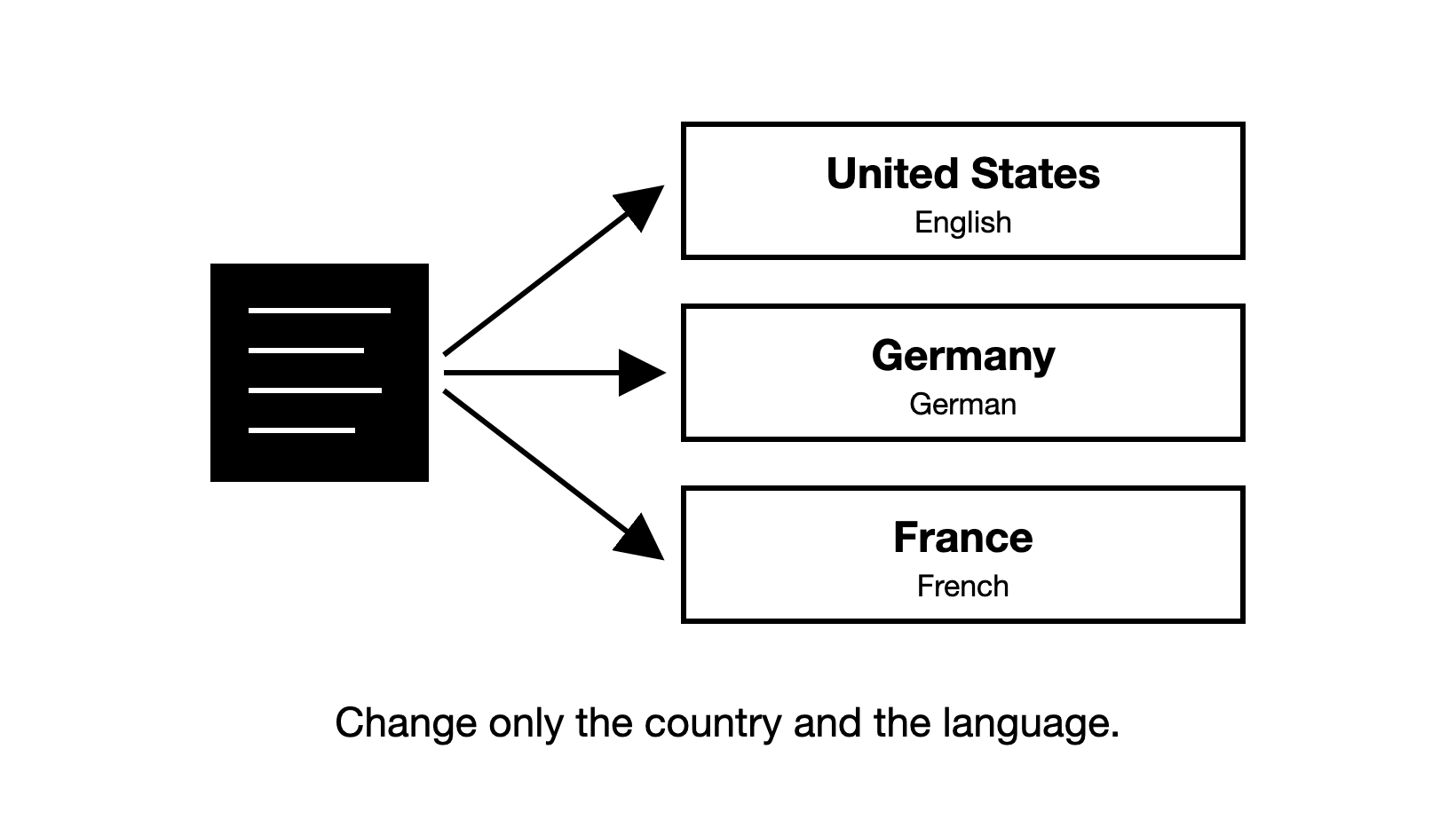
To track AI visibility by location and language, run the same prompts on the same engines for each market, in that market's language, from an IP address in that country, logged out, every day.
AI visibility is how often AI engines such as ChatGPT, Gemini and Google AI Overviews name your brand when buyers ask the questions you care about. It is measured as visibility %: the share of answers to your visibility prompts (prompts that do not name your brand) that mention you. Engines can shape an answer to where the buyer is, so your visibility in the US may not match your visibility in Germany. For the full method, from choosing prompts to reporting, see How to Measure AI Search Visibility.
How does a B2B brand track AI visibility in each market?
To track AI brand visibility across markets, treat each market as its own measurement. A market here is a country and the language its buyers use. Keep the prompts and the engines the same everywhere, and change only the country and the language. Then a gap between two markets cannot come from your setup.
Start with the markets that matter to your pipeline, where you sell today and where you plan to grow. A run is one prompt asked once, on one engine, in one market. An IP address is the internet address a request comes from. Set these six things for every market:
| Setting | What to set for each market |
|---|---|
| Country | An IP address in that country |
| Language | The language your buyers there research in |
| Session | Logged out, with device location sharing off |
| Prompts | The same set in every market, rewritten in each market's language |
| Engines | The same engines in every market |
| Runs | One a day for every prompt on every engine |
How do ChatGPT and other AI engines know which country a buyer is in?
When a buyer is logged out, engines place them mainly by their IP address. OpenAI says ChatGPT may use an approximate location based on your IP address to give relevant local results. A VPN, a service that routes your traffic through a server in another country, may change that location.
Logged in, an engine can use more than the IP address. These are the signals the engines' own help pages name, and how to control each one:
| Signal | Whose help pages name it | How to control it in a check |
|---|---|---|
| IP address | ChatGPT, the Gemini app, Google Search | Connect from the market, over a VPN or through a tool that runs there |
| Device location | ChatGPT (only if you turn it on), the Gemini app and Google Search (only if you allow it) | Keep location sharing off |
| Home and Work addresses in your Google Account | The Gemini app, Google Search | Log out, use a private browser window, or use an account with no Home or Work address |
| Past activity and saved memories | Google Search (past activity), ChatGPT (saved memories, details it keeps about a logged-in user, when memory is on) | Log out |
So a check from your desk, logged in, reflects your account as well as your country. Perplexity and Copilot are not covered by these help pages, so control the same signals there: connect from the market and log out.
Google Search shows the location it used at the bottom of the results page. If it came from your IP address, the line reads "From your internet address" (Google's help page). Check that line to confirm your VPN works before you read an AI Overview. Google's help pages do not say how AI Overviews and AI Mode use your location, so measure both from inside each country.
What happens when a buyer prompt names no country?
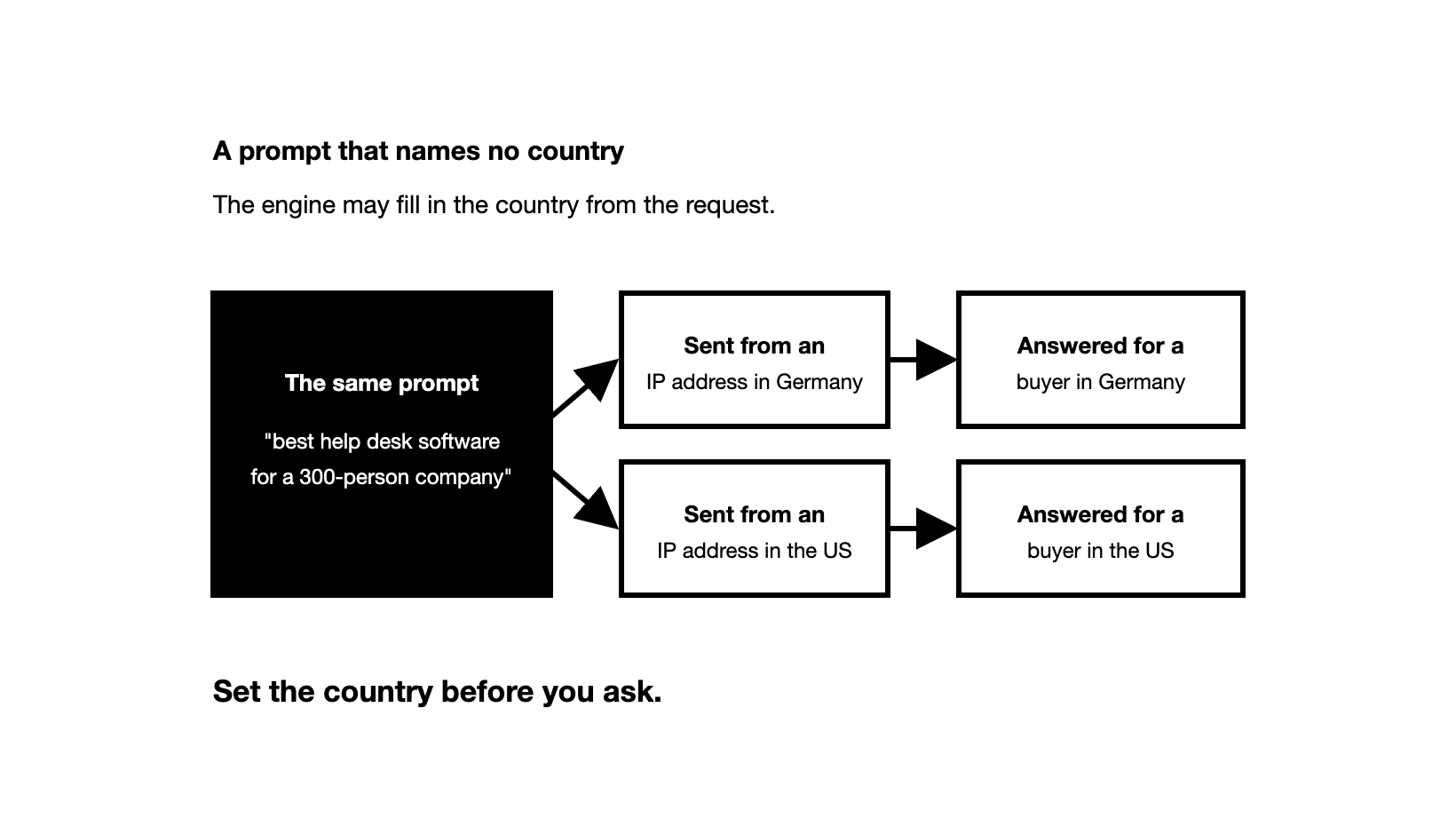
The words in a prompt and the IP address can both shape the answer, so make them agree. A prompt such as "best help desk software for a 300-person company" names no country, so the engine may fill in the country from the request. Send it from a US IP address and you measure a US answer, even if your buyers are in Germany. When a prompt names a country, send it from that country too.
Do not try to guess the location from the answer. To see how much location matters for one prompt, run it 4 to 5 times from each of two different countries, logged out.
Then count how many answers from each country name each brand. A brand named in most answers from one country, and in few or none from the other, is a sign that location changes the answer. Two runs from the same country can also name different brands. So a brand that appears only once, on either side, is the normal change between runs.
Which prompts should you track in each market?
Tracked prompts are the questions you ask AI engines again and again, recording each time whether the answer names your brand. The rules for choosing them hold in every market. Write them as buyer prompts, phrased the way buyers ask, and never name your brand in the ones you count in visibility %. Leave out informational questions such as "What is a help desk?", which rarely name any brand.
What changes per market is the buyer's context. A real buyer's engine may know where they work and what they need, but a logged-out session knows little more than the IP address. So write the buyer's situation, country included, into the prompt, and send it from that country.
Two kinds of visibility prompt carry this context well. A category plus context prompt adds the buyer's details to a category search. A buyer intent prompt describes a full buyer situation, with the place written in as part of the need, such as where customer data must be hosted:
| Prompt type | Example for a buyer in the UK |
|---|---|
| Category plus context | Best CRM for a 20-person B2B sales team in the UK |
| Buyer intent | I run sales at a 200-person software company in Manchester. We sell across the UK and Ireland, and our customer data must be hosted in the UK. We need a CRM for the sales team, not a marketing suite. Which tools should we shortlist? |
Our free Prompt Builder writes buyer intent prompts like this one from details such as the buyer's industry, company size and country.
Branded prompts, such as "What is [brand]?", show how AI describes you, not whether buyers find you. Run them in each market's language too, but keep them out of the visibility number.
How do you keep each market's prompts in your category?
Write the boundary into each prompt: say what the buyer does not want, for example "not a marketing suite". If you do not sell a product in a country, a prompt about it there shows a gap that is not real.
One category word can also mean several kinds of product. A help desk prompt, for example, can return tools for customer support, internal IT or e-commerce. A brand that sells to support teams then looks invisible when it is really being compared in the wrong category. Keep a short "do not drift into" list and write it into the prompt: "help desk software for our support team, not for internal IT".
How do you track AI visibility across languages and countries?
Ask each market's prompts in the language its buyers use, from that country. A German prompt sent from a US IP address mixes two markets. So does an English prompt sent from Germany, if your German buyers ask in German.
Do not translate your prompts word for word. Write each one the way a buyer in that market would ask it, with the local name for the category, local job titles and local rules. Take the wording from that market's sales calls and local search data, and have a native speaker read every prompt before you track it. Then read the first answers for drift, since a translated category word can pull in neighbouring products.
Keep the sets parallel, so that when you add a prompt to one market, you add its local version to the others. If a market has questions no other market asks, such as one about a local rule, track them as an extra set and keep them out of the comparison.
Language can also change which pages an engine cites. A prompt in German can pull in German-language third-party pages (trade publications, comparison articles, etc.) and community pages (forums, user reviews, etc.). The pages an engine cites shape which brands it names, so read each language as its own number.
A total across markets can mislead. Say your brand is named in half of your US answers and in one in ten German answers, with the same number of answers in each. Pooled, that reads as three in ten, which is true of neither market. When one market has more answers, the total leans toward it, so a strong US number can hide a weak market.
How many prompts and runs does each market need?
Every market multiplies your runs, because runs a day equal prompts times engines times markets. For example, 25 prompts on two engines in two markets come to 100 runs a day.
For the size of the set, see How Many Prompts Should You Track for AI Visibility?. In each market, start with 20 to 30 buyer prompts and add relevant ones as you find them.
How do you test AI prompts from several countries at once?
By hand, you can check only one country at a time, so testing several at once needs a tool. A check by hand still gives you a sense of one market. For each market:
- Turn on a VPN set to the market's country.
- Open the engine in a private browser window, logged out.
- Start a new chat for each prompt, so earlier prompts do not shape the answer.
- Ask the prompt in the market's language, and note whether your brand is named.
- Repeat on several days before you trust what you see.
Even then, it is not a number you can report. OpenAI says the same question may yield different answers from one query to the next, and a few checks cannot show a trend.
For tracking, check how a tool collects each market's answers. Answers from an engine's app, the website or app buyers use, can differ from answers through its API, the connection developers use. Perplexity says so about its own API and web interface, and our guide to how AI visibility tools work explains why. Before you trust a tool with several markets, check these:
| Check | What you want to see |
|---|---|
| Location | Each market's answers collected from IP addresses in that country |
| Session | Logged out, with nothing saved about the user |
| Source of the answer | The engine's app, or API answers checked against the app |
| Evidence | The raw answer text behind every number |
| Reporting | A number for each market, as well as any total |
Then spot-check two or three prompts by hand in each market, with a VPN and logged out, against what the tool recorded. Do not expect one of your answers to match one of its records. Compare the language of the answers, the local pages they cite and the brands that keep coming back, in your answers and in the tool's.
What should you measure about your AI visibility in each market?
Read visibility % per market first. It counts an answer when your brand is mentioned, meaning the answer names it in its text, first or fifth, with a link or without one.
Then work out share of voice per market: your brand mentions as a share of all brand mentions in the answers, yours and your competitors'. Measure it against the brands each market's answers actually name. Your rivals in Germany may not be your rivals in the US.
Being recommended is a separate measure: the answer names you as the best fit for the buyer, not only as one option in a list. A brand can be mentioned often in a market and still rarely be recommended there.
Position, the order in which an answer names brands, moves a lot from one run to the next. Track it in a market only once your visibility there is decent.
Keep citations apart from all of these. A citation is a page shown as a source in the answer. Count your own pages cited in each market as a separate number, and check, for example, whether German answers cite your German-language pages.
How do you read a market's AI visibility number before you report it?
Say your brand is named in about half of a market's answers this month. A single run shows it as either named or not named. Can AI Visibility Be Measured, or Is It Guesswork? covers why one answer misleads.
We looked at data from the Zadoosh data platform: ChatGPT, April to October 2026, B2B brands across software and other fields. A prompt window is one prompt's answers over a 30-day period, and its 30-day share is the share of those answers that named the brand. In 72% of prompt windows, a prompt named the brand in some of its answers but not in all of them.
For those prompts, one random run came within 20 points of the 30-day share 53% of the time. Ten runs came within 10 points 64% of the time, and within 20 points 88% of the time. So give each market about ten daily runs per prompt before you read its number, and read it as a rough range.
Our data also sets a bar for weekly changes: ChatGPT, March to October 2026, B2B brands across software and other fields. Under 100 answers a week, no weekly change could be told from noise, the normal swing from run to run. Act on a weekly change of about 10 points or more only when a market has 100 or more answers a week. Read smaller moves, and markets with fewer answers, over a month.
For example, 10 prompts on one engine, run daily, give a market 70 answers a week, below the bar. With 15 prompts, the market gets 105 answers a week and clears it.
What should you check before you report AI visibility by market?
Check that the prompts, engines and markets stayed the same between the periods you compare. Check too that each language version of a prompt still asks the same question. If you added a market or prompts during the period, report the original set on its own next to the new total.
Frequently asked questions
Is there a cheap way to check AI visibility in one market? Yes. Cut engines before you cut prompts or daily runs. Track the market on the one or two engines your buyers there use most, with about 10 buyer prompts run daily, rather than many prompts once a week. By hand, with a VPN set to that country and logged out, you get a sense of the market, never a number to report. For a real audit of that market without the manual work, try the Zadoosh AEO platform's free trial. As of November 2026, it runs 25 prompts for 7 days, with no card.
Can I track AI Overviews and AI Mode by country? Yes, in the countries where Google offers them. Check that Google lists your market and its language for each one, then run your prompts from that country, as in tracking AI Overviews. Search Console, Google's free tool for site owners, has had a generative AI performance report for every site since 31 August 2026. It shows impressions by country, the times links to your pages were shown in AI Overviews and AI Mode, but not your brand being named.
Should I track English prompts in a non-English market? Only if your buyers there research in English. If they use both English and the local language, run both sets from that country and read them as two numbers. A country with two business languages, such as Canada, works the same way.
Can I track AI visibility for a whole region, such as the EU? Yes, country by country. Track the countries in the region where you sell, each from an IP address there and in its buyers' language. A buyer always asks from one country, so a region has no single answer to measure.
Does a VPN show exactly what buyers in that country see? No. A VPN sets the country, but a real buyer's answer also depends on their account, their saved memories and the run itself. No tool sees the answer a real buyer got. Logged out, from that country, you see how the engine answers a buyer who has never heard of you.