Query Fan-Out: What It Is and How to Find It
Query fan-out is when an AI engine turns one prompt into more than one search before answering; ChatGPT and Microsoft 365 Copilot show the searches they ran.
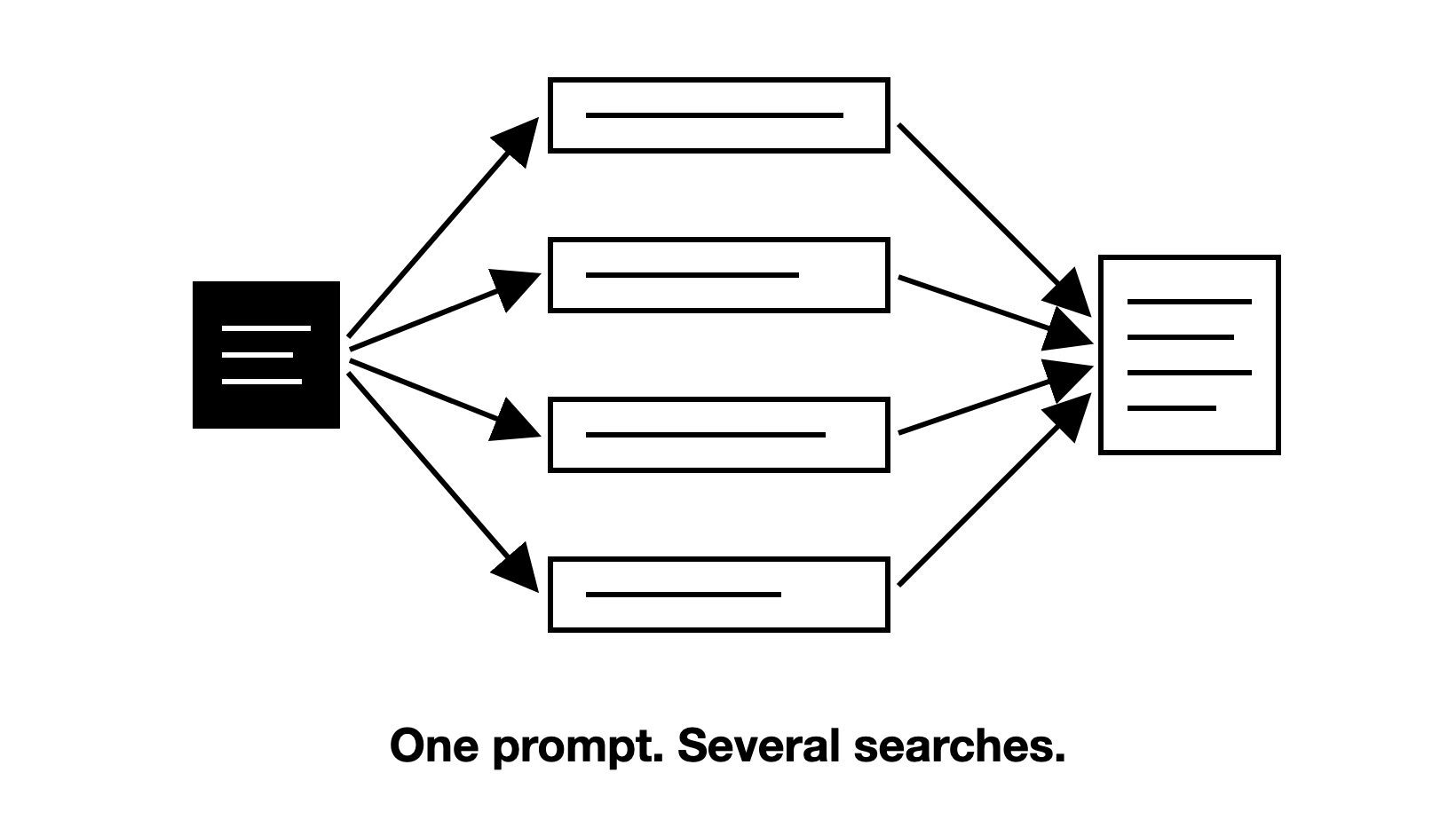
Query fan-out is when an AI engine breaks a question into subtopics and runs more than one related search on your behalf, then writes one answer from what those searches return.
The searches decide which pages the engine retrieves and cites. Those pages also shape which brands the answer names. This guide explains how fan-out works and how many searches the engines run. It then shows how to see the exact searches behind your own prompts.
What is query fan-out?
Query fan-out is the step where an AI engine works out the intent of a question and rewrites it into its own search queries before it answers. Each of those queries is a fan-out query. The engine runs them, retrieves pages from what comes back, and writes one answer from those pages.
Google used the term when it launched AI Mode in 2025. Its Search Central guide to AI features says AI Overviews and AI Mode may run multiple related searches across subtopics and data sources to build a response. OpenAI describes the same idea in its help page on searching the web with ChatGPT. It says ChatGPT search typically rewrites your query into one or more targeted queries that it sends to search providers.
Other names for the same thing are query rewriting, query decomposition and query expansion. The label matters less than the effect. The words a buyer types are not the words the engine searches.
The engine writes these searches for one answer, so few of them match what people type into Google. The set also changes each time you run the prompt. Read them the way you read visibility: as patterns across many runs, not as a fixed list.
How does query fan-out work, step by step?
The engine works out what the buyer wants, turns that into searches, and builds the answer from what the searches return. Four steps sit behind most answers:
- Work out the intent. The engine decides what the question is really asking, and whether it needs the web at all.
- Write the searches. It breaks the intent into more than one query, each covering one part of the need.
- Run them and retrieve pages. Each query goes to the web index that engine uses. AI Overviews, for example, uses Google's index. From everything that comes back, the engine retrieves the pages that look useful.
- Rerank the passages. The engine scores the passages from all those pages against the question and keeps only the best few. Perplexity documents this step, and a Google patent describes it. The model reads those, writes the answer and cites a few. ChatGPT and Gemini do not document this step; for them, all we can say is that the engines narrow the results.
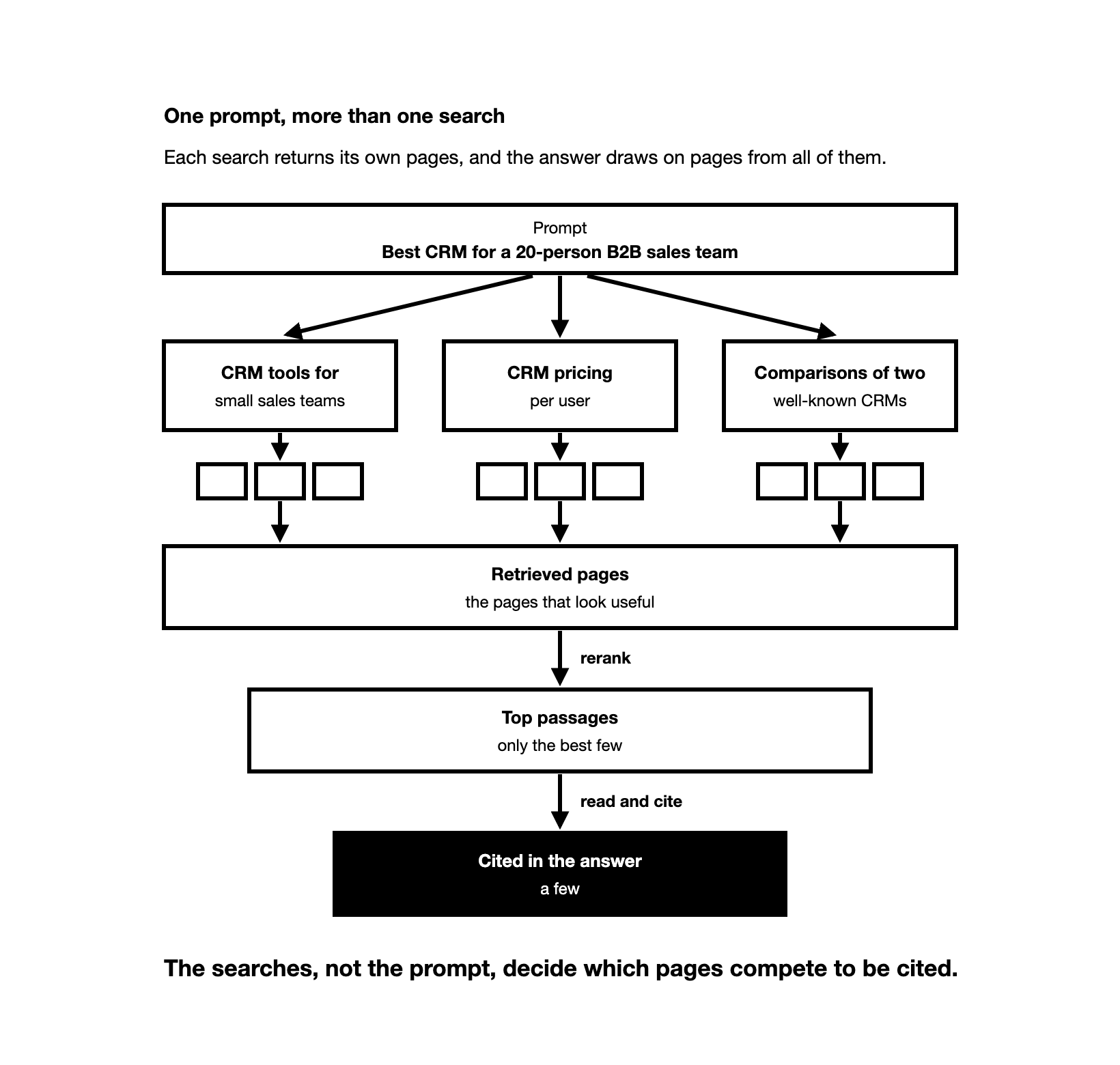
Take a buyer prompt such as "Best CRM for a 20-person B2B sales team". An engine might search for CRM tools for small sales teams, CRM pricing per user, and comparisons of two well-known CRMs. Those searches are our illustration, not a recorded run.
Each search returns its own pages, and the answer draws on pages from all of them.
So a page can be retrieved because it answers one of the searches, even if it says nothing about the exact prompt. That is why the searches, not the prompt, decide which pages compete to be cited.
What types of fan-out queries are there?
Fan-out queries differ by what each one is for.
Some queries only restate the prompt in other words and retrieve much the same pages. The ones below widen the pool, so they decide which other pages compete with yours. Examples are for the prompt "best CRM for a B2B sales team":
| Query | Example | Pages it brings into play |
|---|---|---|
| A comparison | CRM A vs CRM B for sales teams | Comparison pages and reviews, where rivals are named next to you |
| An unstated need | CRM with email sequencing | Feature pages and guides on that need, sometimes from tools outside the shortlist you expected |
| A dated search | best sales CRM 2026 | Recently updated lists, so an older page can drop out |
| The buyer's situation | CRM for B2B sales teams in the UK | Pages about that country or team size |
| The next step | how to migrate CRM data | How-to pages, which can name brands the buyer never asked about |
ChatGPT can also run an entity lookup. We have seen its fan-out include a query that starts "Tell me about [brand]", followed by an entity category and a short description of the brand. It shows how the engine places a brand before it writes about it.
Which AI engines fan out, and how many searches do they run?
Google and OpenAI both say their engines can run more than one search for one prompt. They do not say how many, and it changes over time. Anthropic documents the same for Claude's web search in its API: one to three searches for a simple question, ten or more for a comparison (checked November 2026).
We measured ChatGPT, in the ChatGPT app. We looked at data from the Zadoosh data platform, ChatGPT, October 2026 (up to the 29th), B2B brands across software and other fields. We give no number for Gemini, Copilot, Perplexity, AI Overviews or AI Mode. Treat any single number you see for those engines as a dated estimate, not a fact about how they work.
Say a buyer asks ChatGPT for the best CRM for their sales team. Most often, ChatGPT runs 2 searches before it answers. Across the answers that searched the web, it ran a median of 2 searches per answer (mean 2.8), and 7% of answers ran 6 or more.
What each engine lets you see today:
| Engine | Can you see its searches? | Where |
|---|---|---|
| ChatGPT | Yes | The "Searching..." line while it answers may show them; the full list is in the page data (Chrome's developer tools, "search_model_queries") |
| Microsoft 365 Copilot Chat | Yes | The Sources button shows the exact query Copilot sent to Bing (Microsoft) |
| Copilot, for website owners | A sample, for your own site only | Bing Webmaster Tools, AI Performance report |
| Gemini, AI Overviews and AI Mode | No | Only the Gemini API returns its own searches, and it is a different product |
| Claude | No | Shows only that it is searching |
Checked November 2026. Engines change what they show, so check again before you rely on it.
The Gemini API is Google's product for developers. With grounding turned on (the model searches Google before it answers), it returns the searches Gemini ran. So it is sometimes offered as a stand-in for AI Mode or AI Overviews. Google does not say the API matches AI Mode or AI Overviews, so treat what the API searched as a guide only.
Why does fan-out matter when you measure AI visibility?
AI visibility is how often AI engines such as ChatGPT, Gemini and AI Overviews name your brand when buyers ask the questions you care about. You measure it as visibility %: the share of answers to your visibility prompts that mention you. Fan-out explains why that number moves the way it does.
You track prompts, but the engine searches its own queries. Your brand can be named from what the model learned in training, or from pages the engine retrieves. So the pages those searches return decide much of whether you are named. Being named on pages across many of the searches behind a prompt matters more than one strong page for the prompt's exact words.
Citations have one more step. A page can rank for a fan-out search and still not be cited. Engines narrow the results to a few passages before they cite.
Fan-out also explains why one answer is never enough. The searches change from run to run, so the retrieved pages change, and the brands named change with them. Read visibility as a rate over many runs.
How to change which pages get retrieved is a separate job from measuring, and this guide leaves it out.
How is fan-out different from traditional keyword research?
Keyword research finds what people type into Google. Fan-out shows what an AI engine types on the buyer's behalf. The two overlap, but they are built differently.
| Keyword research | Fan-out queries | |
|---|---|---|
| Written by | People searching | The AI engine |
| Search volume | Measured, often high | Usually little or none |
| Stability | Same keyword every month | Changes from run to run |
| Where you see it | Keyword tools | Inside the engine's answer data |
| What it tells you | Demand for a topic | Which pages compete to be cited for a prompt |
Use both. Keyword research still tells you which questions buyers ask. Fan-out tells you which searches stand between a buyer prompt and the answer. For a measurement team, that second view explains why a brand strong in Google can still be missing from an AI answer.
How do you find the fan-out queries for your prompts?
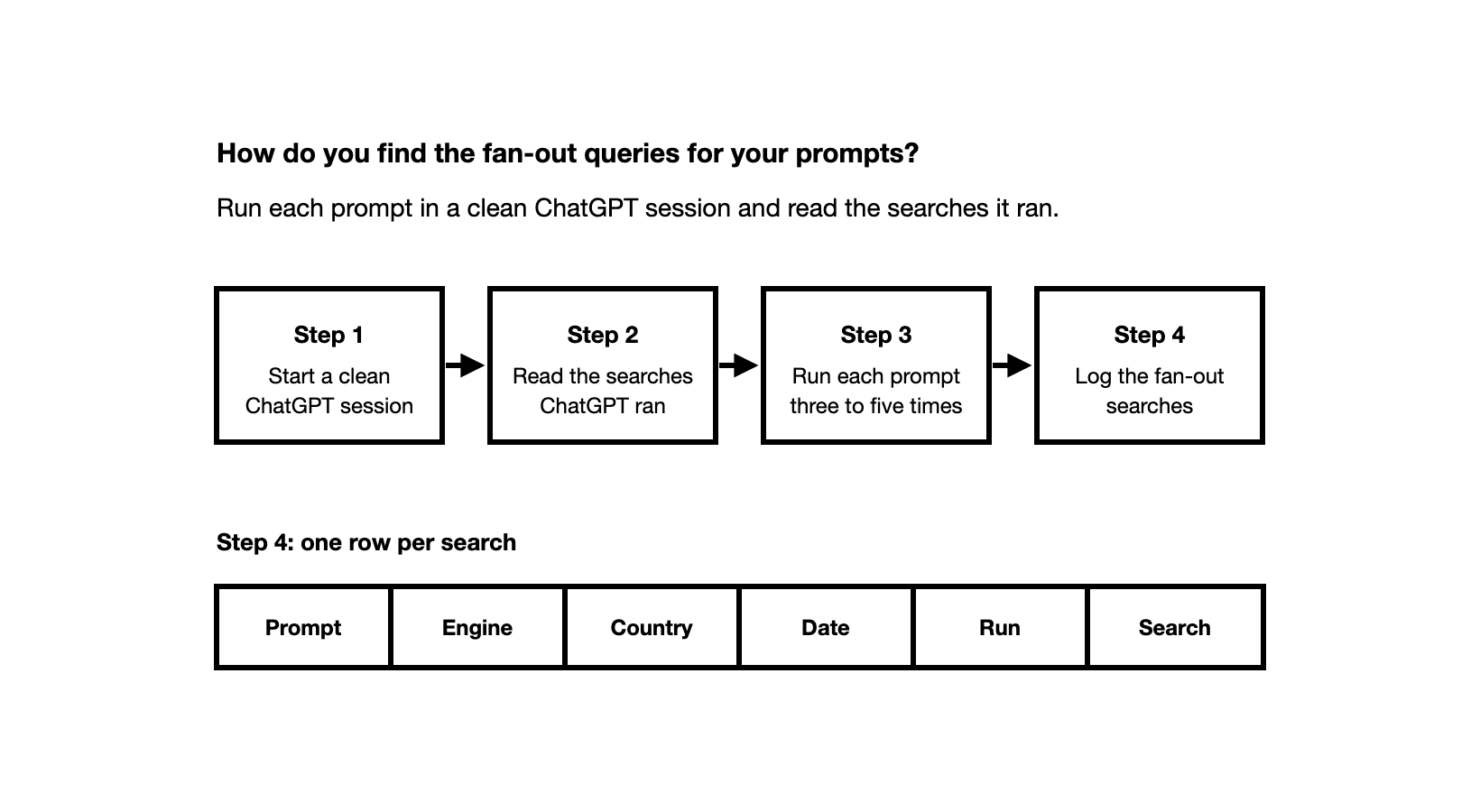
You run each prompt in a clean ChatGPT session and read the searches it ran. Use a browser extension or Chrome's developer tools (the browser's built-in panel for inspecting a page). Use the ChatGPT app, not an API. The app is what your buyers use.
Step 1: How do you start a clean ChatGPT session?
Your account changes the answer, and so it changes the searches. Memory, past chats and login all feed into what the engine thinks you want. Set up the session like a buyer who does not know you:
- Log out, or use a temporary chat with memory off.
- Use a private browser window.
- Connect through a VPN in the buyer's country, because the engine infers location from your connection.
- Use a fresh chat for every prompt: one prompt, one answer.
Step 2: How do you read the searches ChatGPT ran?
Paste the prompt exactly as you track it. Then read the searches with one of two methods.
- A browser extension. A browser extension such as FanoutFox reads your own ChatGPT session and shows the searches it ran.
- Chrome's developer tools. The searches sit in the data ChatGPT sends to your browser. The steps below work as of November 2026.
- Open chatgpt.com in Chrome, in the clean session from step 1.
- Open developer tools with F12, or Cmd+Option+I on a Mac.
- Click the Network tab. Type "conversation" in the filter box.
- Send your prompt.
- Click the "conversation" request in the list, then open its EventStream tab.
- Type "search_model_queries" in that tab's filter, and read "queries". That is the list of searches ChatGPT ran.
Step 3: Why run each prompt more than once?
One run shows one set of searches. Run each prompt three to five times, each in a new chat, and keep every search. The searches that come back across runs are the ones that matter. A search that appears once is noise.
Step 4: How do you log the fan-out searches?
Keep a sheet with one row per search, with the prompt, the engine, the country, the date, the run number and the search.
If ChatGPT searched "Tell me about [your brand]", read the description that follows: it shows which category the engine has put you in.
How do you see fan-out searches in the other AI engines?
Microsoft 365 Copilot Chat shows the exact query it sent to Bing when you open its Sources button. For website owners, Bing Webmaster Tools has an AI Performance report. It shows a sample of the searches behind your pages' citations in Copilot and Bing's AI answers, for your own site only.
For Gemini, AI Overviews and AI Mode, read the answers and their citations instead.
How do you measure your fan-out coverage?
Fan-out coverage is the share of search themes (groups of similar searches, such as pricing or comparisons) behind your prompts where the answers cite one of your pages. You measure it from the searches you logged.
- Group the searches from all runs into themes.
- For each theme, note which pages the answers cite.
- Mark the themes where a cited page is yours, and the themes where none is.
Count apart the themes where a cited page from another site names your brand. That is a mention, not a citation of your page. The themes with neither are your gaps.
Recheck your gaps each month, because the searches change as the engines change. For how to choose and track the prompts themselves, see how to choose prompts to track. For the full measurement method, see how to measure AI search visibility.
Frequently asked questions
Does fan-out mean the same thing in databases and coding? No. In software, fan-out means one request that triggers many downstream requests. In AI search, it means one prompt that the engine turns into more than one web search.
Is a query fan-out generator the same as real fan-out? No. A generator tool either predicts the searches an engine might run for a prompt, or shows the searches an API model ran. That can help you brainstorm themes, but it is not a record of what the ChatGPT app searched for your prompt. To see that, read the searches in the app, as shown above.
Does every prompt fan out? No. ChatGPT searches the web only when it judges that the question needs it. If a run shows no searches, the answer came from what the model already knows. Keep that run in your log, because it tells you the engine did not look at any page for it.
How often should I recheck the fan-out for my prompts? Monthly is a good rhythm for a tracked prompt set. Also recheck after a model update, and recheck the developer tools method itself, because ChatGPT changes its format.